Blog
Common PC Building Mistakes to Avoid: The 2026 Pro Gamer Guide

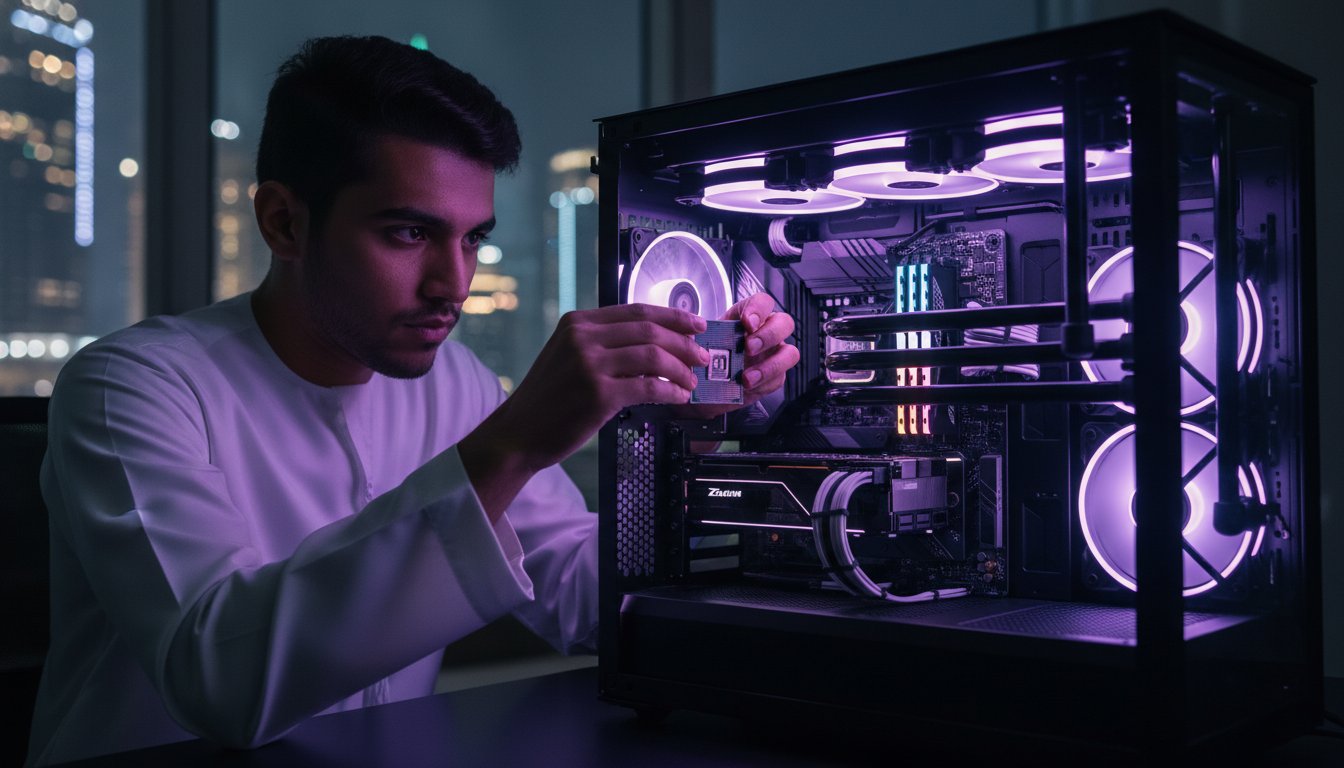
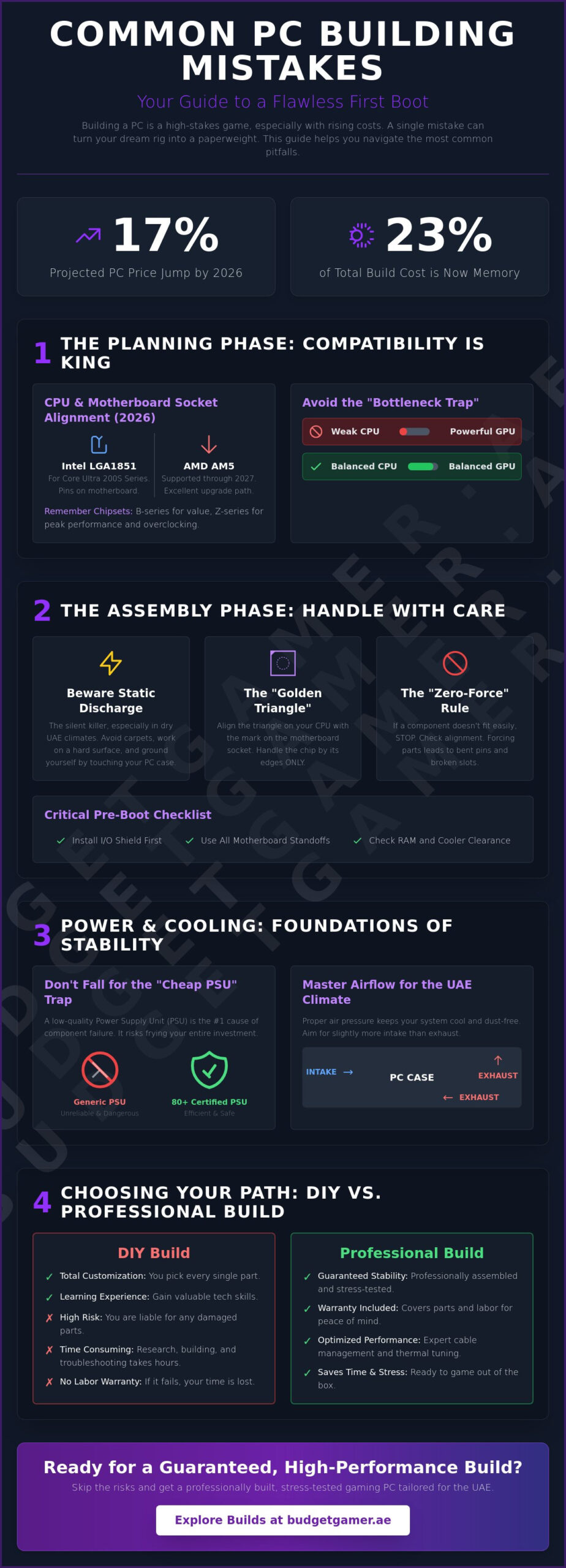
Your dream rig just got more expensive, with PC prices projected to jump by 17% in 2026. With memory now accounting for 23% of your total build cost, a single hardware slip-up isn’t just frustrating; it’s a direct hit to your wallet. We know the feeling of staring at a box of expensive parts and worrying about bent pins or compatibility issues. It’s a high-stakes game, especially when you’re trying to keep things cool in the intense UAE climate. Understanding the common pc building mistakes to avoid is the difference between a legendary first boot and a very expensive paperweight.
You don’t need a massive budget to get professional-level performance, but you do need a solid plan. We’re here to empower your build journey and lower the barrier to entry for high-end tech. This guide will show you how to dodge the most expensive errors, from choosing the right LGA1851 or AM5 socket to ensuring your VRAM meets the 2026 standards for 4K gaming. We’ll cover everything from thermal paste application to cable management. You’ll learn how to achieve optimal thermal performance and a clean, professional-looking build that’s ready to dominate.
Key Takeaways
- Master the “First Law” of hardware by prioritizing motherboard compatibility and preventing performance bottlenecks before you buy.
- Protect your investment by following the “Zero-Force” rule and learning common pc building mistakes to avoid like static discharge or forced components.
- Optimize thermal performance for the UAE climate by mastering air pressure techniques that keep your system cool and dust-free.
- Secure your rig’s longevity by choosing high-efficiency power supplies and avoiding the “cheap PSU” trap that risks frying expensive hardware.
- Evaluate the value of DIY assembly against the guaranteed stability and professional stress testing of systems like the Budget King PC Build.
Mastering the Planning Phase: Compatibility and Bottlenecking
Think of component compatibility as the First Law of PC building. If your parts don’t play nice together, your project stops before it starts. The motherboard acts as your central hub. It dictates your CPU choice, RAM speed, and storage expansion. Buying a high-end processor only to realize it doesn’t fit your board is a gut-punch to your timeline and your budget. Understanding these technical handshakes is the best way to bypass common pc building mistakes to avoid during your assembly.
One of the biggest common pc building mistakes to avoid is the “Bottleneck Trap.” This happens when you pair a top-tier GPU with a weak, entry-level CPU. Your graphics card will sit idle while the processor struggles to keep up. It’s a waste of money and performance. Balanced builds win every time. Before you unbox anything, read the manuals. Digital copies are usually available on the manufacturer’s site. Studying the risks and rewards of a homebuilt computer shows that while DIY offers freedom, it demands precise planning to succeed.
CPU and Motherboard Socket Alignment
In 2026, the landscape is split between AMD’s AM5 and Intel’s LGA1851 sockets. Socket compatibility is the physical and electrical matching of a processor to its motherboard. AMD has committed to AM5 through 2027, offering a great upgrade path. Intel’s LGA1851 is the new standard for the Core Ultra 200S series. Don’t just look at the socket; check the chipset. A B-series board offers great value for most gamers. However, if you want maximum overclocking and high-speed I/O, you’ll need a Z-series board. Choosing the wrong chipset can artificially cap your build’s ceiling.
RAM and Storage Clearance Issues
Physical space is just as important as electrical compatibility. Large air coolers often overhang RAM slots. If you buy high-profile RGB sticks, they might not fit under your cooler. Always check the “RAM clearance” spec on your cooler’s data sheet. For memory, DDR5 is now the baseline. Stick to a single kit from one brand. Mixing different brands or speeds often leads to system instability and crashes. If you’re looking for a deep dive into component synergy, check out our PC Build UAE guide for performance planning. Proper spacing ensures your components stay cool and accessible for future upgrades.
Avoiding Critical Hardware Damage During Assembly
Handling expensive hardware requires a steady hand and a calm mind. One of the most common pc building mistakes to avoid is rushing the physical assembly. Follow the “Zero-Force” rule. Components like RAM, GPUs, and CPUs are designed to fit perfectly. If a part doesn’t slide in or click with minimal pressure, stop immediately. Forcing a connection usually leads to snapped plastic or crushed pins. Check your alignment again. It’s better to pause for five minutes than to spend weeks waiting for an RMA on a broken motherboard.
Static electricity is a silent killer, especially in the dry, air-conditioned environments common across the UAE. Build on a hard surface like a wooden desk. Avoid carpets at all costs. Use a grounded anti-static wrist strap or frequently touch the metal chassis of your plugged-in (but switched off) power supply to discharge. Before you even lower the motherboard into the case, install the I/O shield. Forgetting this small metal plate is one of those classic common PC building errors that forces you to take the entire system apart later. Also, ensure your motherboard standoffs are properly installed. These small spacers prevent the back of your board from touching the metal case, which would cause an instant short-circuit.
The Delicate Art of CPU Installation
The CPU is the heart of your rig and the most fragile part of the build. Use the “Golden Triangle” method. Look for the small, etched triangle on the corner of your processor and match it with the mark on the motherboard socket. Handle the chip by the edges only. Oils from your skin can interfere with thermal transfer or contaminate the contact points. With modern LGA1851 and AM5 sockets, the pins are on the motherboard. They are incredibly easy to bend. If the thought of handling a high-end processor makes you nervous, opting for a professionally assembled The Pro Gaming PC ensures every component is seated with expert precision.
Thermal Paste: Less is More
Proper heat transfer is vital for performance. A pea-sized drop in the center of the CPU is the gold standard for most builds. For larger 2026 processors, an “X-pattern” ensures better spread across the integrated heat spreader. Don’t over-apply. Too much paste can spill over the sides and create a mess. If your cooler comes with pre-applied paste, it is usually sufficient for mid-tier gaming. Most importantly, check the bottom of your CPU cooler. Many manufacturers include a clear plastic protective film. If you leave this on, your PC will overheat within minutes of booting. Always double-check for that “Remove Before Use” sticker.
Beating the Heat: Airflow and Cooling Mistakes in the UAE
Building a PC in the UAE requires a different tactical approach than building in cooler climates. Standard cooling configurations often fall short when ambient indoor temperatures hover around 25°C to 30°C. You need extra thermal headroom to keep your components from throttling. Understanding common pc building mistakes to avoid regarding airflow is non-negotiable here. A build that runs perfectly in a lab might crash during a long summer session in Dubai if you don’t plan for heat soak.
Master the battle against dust and heat by choosing positive air pressure. This means you have more intake fans than exhaust fans. Positive pressure forces air out of every small gap in your case, preventing dust from being sucked in through un-filtered cracks. Many builders make the mistake of setting up negative pressure, which turns the PC into a vacuum cleaner for desert sand. Also, check your fan orientation. It is a classic error to install fans backward. Look for the plastic frame or the “X” bracket on the fan; that side is almost always the exhaust. If the pretty side is facing you, it is likely sucking air in.
Don’t ignore your cables. Messy “spaghetti” wiring isn’t just an eyesore; it creates pockets of stagnant hot air. Use zip ties and the routing holes in your case to keep the path between your intake fans and your GPU clear. Every obstacle reduces the velocity of cool air reaching your most expensive parts.
Optimizing Fan Curves for Extreme Ambient Temperatures
Forget the “Silent” BIOS preset. In the UAE, you need aggressive fan curves. Set your fans to ramp up earlier, reaching 70% to 80% speed once the CPU hits 60°C. This proactive cooling prevents heat from building up in the first place. For high-performance rigs like the Beast Gaming System, liquid cooling is practically mandatory for 4K gaming. Always pair these high-wattage components with a mesh front panel case. Solid glass fronts may look sleek, but they choke your intake fans and kill your performance.
AIO Liquid Cooler Placement
Mounting an All-In-One (AIO) cooler incorrectly will shorten its lifespan. The pump should never be the highest point in the loop. If air bubbles get trapped in the pump, it will become noisy and eventually fail. Mount your radiator at the top of the case as an exhaust for the best longevity. If you must mount it at the front, ensure the tubes are at the bottom. Proper cooling keeps your frame rates stable, allowing you to fully utilize a high-refresh-rate screen. Check out our Gaming Monitor Guide to match your refresh rates with your new thermal stability.
Power Supply and Cable Management: Don’t Kill Your Components
The power supply unit (PSU) is the most overlooked component in most builds. Falling into the “Cheap PSU” trap is one of the most dangerous common pc building mistakes to avoid. A low-quality unit doesn’t just fail; it can take your GPU, motherboard, and storage with it. Think of the PSU as the heart of your system. If it pumps “dirty” or unstable power, every other part suffers. High-end hardware deserves high-end protection.
Look for 80 Plus Gold or Platinum efficiency ratings. This isn’t just about your DEWA bill. Higher efficiency means less energy is wasted as heat. In the UAE climate, keeping your PSU running cool is vital for system longevity. Never use modular cables from a different power supply model. Even if they fit the socket, the internal pinouts are not standardized. Mixing cables is a fast track to a dead rig or a fire. For modern GPUs, pay close attention to the 12VHPWR connector. You must seat it fully until you hear a click. Even a tiny gap can cause the connector to overheat and melt during heavy gaming sessions.
Calculating Real-World Power Draw
Don’t cut your wattage too close. Aim for at least 20% overhead above your estimated total draw. This keeps your PSU in its most efficient “sweet spot” and provides a buffer for transient power spikes from high-end graphics cards. Quality units also offer better protection against local power surges, acting as a final line of defense for your equipment. If your budget is tight, don’t settle for a dangerous, unrated unit. Use Tabby UAE to spread the cost of a Tier-A power supply. It is a smart way to secure your build without the risk of overspending on a single paycheck.
Cable Management for Airflow and Aesthetics
Proper cable management is about more than just looks. Use the space behind the back panel to clear the “Airflow Path” in the main chamber. This ensures the cool air from your intake fans reaches your components without hitting a wall of tangled wires. Be careful with zip ties. Over-tightening them can crush delicate data cables or fan wires, leading to intermittent failures. Finally, ensure your GPU power cables have enough slack. If they press too hard against the side panel glass, it can put physical stress on the GPU socket or prevent the connector from staying fully seated.
Ready to build with confidence? Secure your high-performance PSU today and protect your gaming investment.
Choosing Your Path: DIY Risks vs. Professional Gaming Builds
Building your own rig is a rite of passage for many enthusiasts. It offers a deep connection to your hardware and a sense of pride. However, the time-cost and potential for error are high. If you spend eight hours building and the system doesn’t post, that’s a whole weekend lost. Professional integrators eliminate this frustration. By choosing a professional build, you bypass the common pc building mistakes to avoid that typically haunt first-time builders. You get expert cable management and rigorous stress testing as standard. This ensures your rig handles the UAE heat without breaking a sweat from the moment you plug it in.
One major benefit is the single-point warranty. If a DIY part fails, you have to diagnose it yourself. You might spend days testing components before dealing with individual manufacturers for an RMA. With a professional build, one local contact handles everything. It is about peace of mind. Knowing your hardware has been handled by experts lets you focus on gaming rather than troubleshooting. DIY is perfect for those who love the process. Professional builds are for those who want guaranteed performance without the assembly stress.
The Budget King: Performance Without the Assembly Stress
The Budget King PC Build is designed specifically to avoid common compatibility errors. We have already matched the chipset, RAM clearance, and PSU overhead for you. If you want the ultimate risk-free high-end option, the Beast Gaming System offers elite performance with zero assembly anxiety. These systems are pre-configured for the regional climate. Check out our guide on Pre Built PC UAE for ready-to-play options that deliver professional standards at an attainable price.
Post-Build Software Pitfalls
The build isn’t finished just because the lights are on. Many gamers forget to enable XMP or EXPO in the BIOS. Without this, your high-speed DDR5 RAM will run at basic, slow speeds. It is a waste of your hardware’s potential. Another classic error is plugging the monitor into the motherboard’s HDMI port instead of the GPU. This forces your PC to use weak integrated graphics rather than your powerful graphics card. Finally, install the latest chipset and GPU drivers immediately. These updates often include critical performance fixes for the latest 2026 titles. Don’t let a software oversight bottleneck your new hardware. Take the final step and optimize your settings for a truly professional gaming experience.
Build Your Gaming Legacy Today
Building a high-performance PC in 2026 is a tactical mission that requires precision and planning. You now have the roadmap to prioritize motherboard compatibility and master thermal management in the intense UAE climate. You understand why a Tier-A power supply is non-negotiable for long-term system stability. By dodging the most common pc building mistakes to avoid, you are already miles ahead of the average builder. It’s about making smart choices that protect your investment while delivering the frame rates you deserve.
If the assembly process still feels like a high-stakes gamble, don’t sweat it. We empower you to get professional-level performance without the technical headache. Check out our professional “Budget King” builds and skip the assembly stress! Our systems feature only Tier-A components and come with the convenience of reliable, UAE-wide delivery. You can even use Tabby installment options to grab your gear now and spread the cost. Your ultimate gaming experience is just a few clicks away. Step up to professional standards and dominate the competition with a rig built for victory!
Frequently Asked Questions
Is it cheaper to build a PC or buy a pre-built one in the UAE?
Buying a pre-built system is often more cost-effective in 2026 due to volatile component pricing and rising manufacturing costs. Large integrators secure parts in bulk, which helps them absorb the price hikes that often hit individual DIY builders. This is why systems like the Budget King PC Build provide such incredible value without the assembly stress. You get professional-level performance while avoiding the risk of overspending on individual parts.
What happens if I put too much thermal paste on my CPU?
Excess thermal paste can spill over the edges of your CPU and potentially reach the motherboard socket or pins. While most modern pastes are non-conductive, a massive overflow is messy and difficult to clean. It can actually act as an insulator, trapping heat rather than transferring it to your cooler. Stick to a pea-sized drop or a thin X-pattern to ensure a clean, efficient thermal bond for your processor.
Can I build a gaming PC on a carpeted floor?
Avoid building on carpeted floors because they generate static electricity that can fry sensitive electronics. Stick to a hard, non-conductive surface like a wooden desk or a plastic table to keep your components safe. If you must work in a carpeted room, wear an anti-static wrist strap and touch a grounded metal object frequently. This simple habit prevents accidental discharge and protects your expensive hardware from silent damage.
How do I know if my PC components are compatible?
Check the motherboard’s socket type and chipset first to ensure it matches your specific CPU model. You should also verify physical dimensions like GPU length and RAM clearance for your chosen air cooler or radiator. Matching these technical specs is one of the most vital steps in identifying common pc building mistakes to avoid before you spend your hard-earned money. Use online compatibility tools to double-check every connection.
What is the most common reason a new PC won’t turn on?
The most frequent culprit is a loose power connection or an unswitched PSU. Check that the 24-pin motherboard cable and the 8-pin CPU cable are fully clicked into place until they lock. Often, builders forget to flip the small power switch on the back of the power supply unit itself. Always double-check your front panel header wiring too; a single misplaced pin can prevent the power button from working.
Do I need an anti-static wrist strap for my first build?
An anti-static wrist strap is highly recommended for beginners to prevent accidental static discharge during assembly. It is a cheap insurance policy for your expensive high-tech hardware. If you don’t have one, you can stay safe by building on a hard surface and touching the metal part of your PC case every few minutes. This keeps you grounded and ensures that static energy doesn’t jump to your motherboard or RAM.
How many fans do I need for a gaming PC in the UAE?
Aim for at least three to four fans to handle the intense UAE heat and high ambient temperatures. A standard setup includes two front intake fans and one rear exhaust to create a steady flow of air. High-performance builds often benefit from additional top exhaust fans to move hot air out faster. Ensure your case has a mesh front panel to maximize the volume of cool air entering the system.
What is a “bottleneck” in a gaming PC build?
A bottleneck occurs when one component limits the potential performance of another during intensive tasks. For example, pairing a weak CPU with a high-end GPU prevents the graphics card from reaching its full frame rate. Balancing your parts is the key to avoiding common pc building mistakes to avoid and getting the most value out of your rig. A balanced system ensures every component operates at its maximum potential for a smoother experience.