Blog
How to Benchmark a New Gaming PC in the UAE: The 2026 Performance Guide

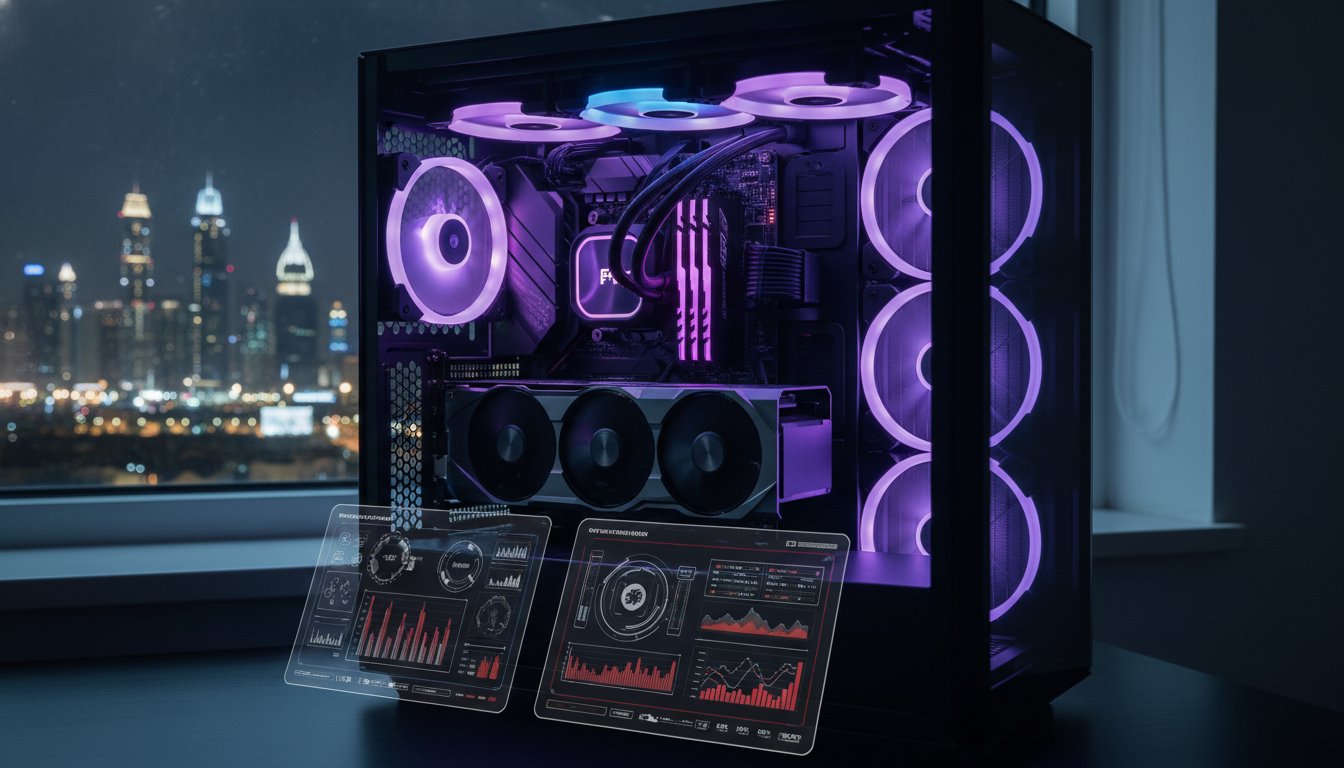
Your brand new gaming PC isn’t truly yours until you’ve pushed it to the absolute limit. You’ve likely spent a lot of time and money securing the latest hardware, perhaps even a Beast Gaming System or a Pro Gaming PC. Now, you need to know if those components are actually delivering the frames you paid for. It’s natural to feel anxious about thermal throttling when the UAE summer heat is relentless outside. Learning how to benchmark a new gaming pc uae is the only way to transform that worry into total confidence.
We’ll show you exactly how to verify your hardware stability and ensure your rig runs at peak efficiency. This 2026 guide breaks down the latest industry-standard tools like Cinebench 2026, 3DMark, and Geekbench 6.7.1. You’ll learn how to monitor your temperatures with HWMonitor 1.64 and compare your scores against global standards. We’re going to help you optimize your settings so you can enjoy professional-level performance without the fear of hardware failure. Let’s get your system verified and ready for action.
Key Takeaways
- Verify your system’s stability with a mandatory 24-hour stress test designed to handle the unique UAE climate.
- Get the 2026 software essentials, including 3DMark and Cinebench, to accurately measure your raw CPU and GPU output.
- Learn exactly how to benchmark a new gaming pc uae to confirm your hardware delivers the professional-level performance you paid for.
- Identify thermal throttling early and adjust your cooling setup to handle high local ambient temperatures without losing frames.
- Troubleshoot low benchmark scores by checking for common setup errors like background bloatware and incorrect component installation.
Understanding Benchmarking: Why Your New UAE Gaming PC Needs a Stress Test
You finally have that shiny new rig sitting on your desk. Whether you’ve picked up the Budget King PC Build or a high-end Beast Gaming System, the excitement is real. But wait. Is it actually performing at its peak? What is PC benchmarking? Simply put, it’s a standardized way to measure exactly how fast your hardware can crunch numbers, render images, and handle physics. In the UAE, where ambient temperatures can easily exceed 40°C, a standard test isn’t enough. You need a 24-hour stability test to ensure your cooling system can handle the local climate without thermal throttling. Heat is the primary enemy of performance in Dubai or Abu Dhabi. If your cooling can’t keep up, your expensive hardware will slow itself down to stay safe.
Synthetic benchmarks use artificial workloads to push specific parts like the GPU or CPU to 100%. They give you a score to compare with other users globally. In-game benchmarks show you how those parts work together during actual play. Understanding how to benchmark a new gaming pc uae means using both to catch performance gaps before they ruin your gaming session. It’s the only way to prove you’re getting the professional-level experience you paid for.
The Difference Between Benchmarking and Stress Testing
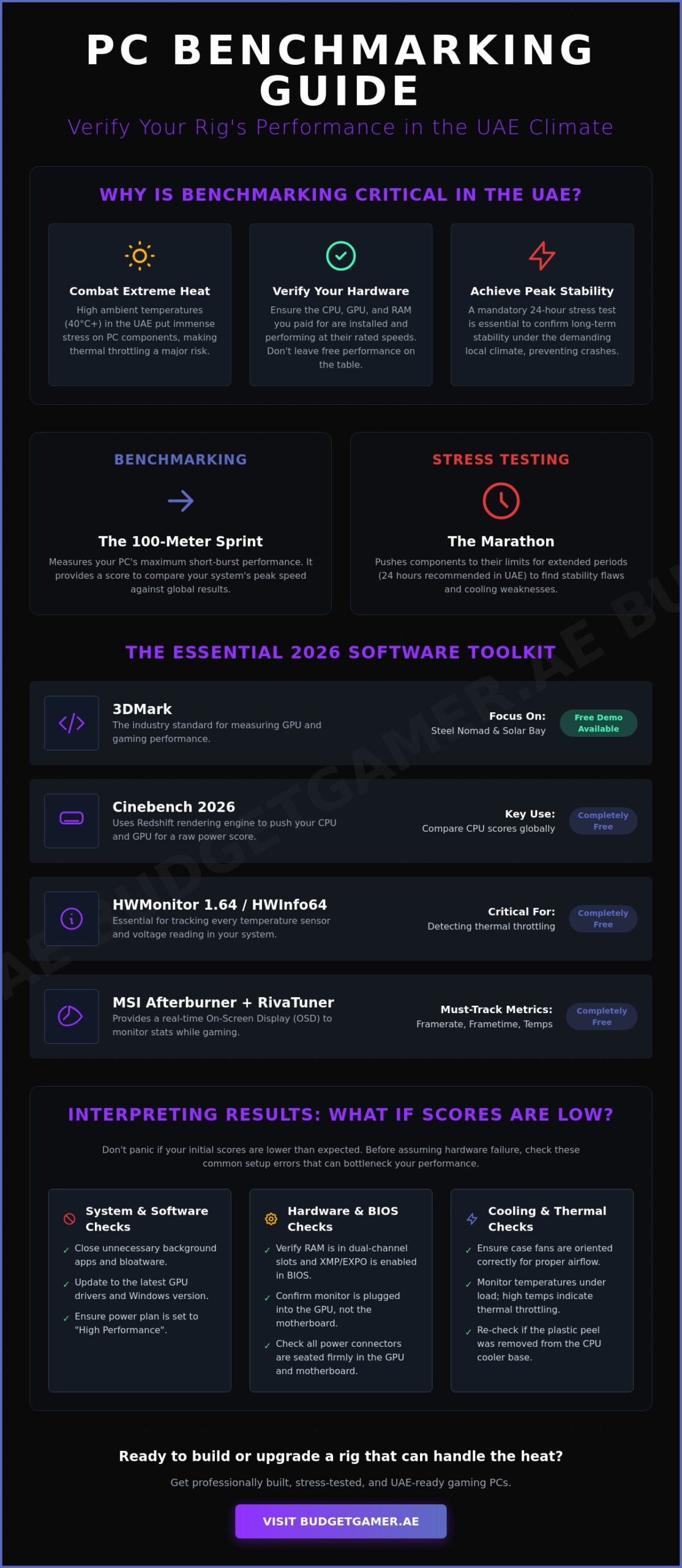
Think of benchmarking as a 100-meter sprint. It shows your top speed. Stress testing is a marathon. It pushes your components to their absolute limits for long periods to find stability flaws. For a custom PC build in the UAE, you need both. A benchmark might look great for five minutes. However, a stress test reveals if your power supply or liquid cooling fails after three hours of intense load. Don’t skip the marathon if you want long-term reliability.
Verifying Your Hardware Specs
Don’t just trust the box. Use software tools to verify that your GPU and CPU match what’s on your invoice. This is especially vital if you’re looking at Pre-owned Gaming PCs where components might have been swapped or modified. Check your BIOS to ensure your RAM is actually running at its rated speed. Many people leave their high-speed RAM on default settings. You’re missing out on free performance because the XMP or EXPO profile isn’t active. One simple toggle in the settings can unlock the full potential of your build.
The Essential Benchmarking Software Toolkit for 2026
Setting up your software toolkit is the first step toward total hardware mastery. You don’t need a professional lab to get professional results. For gaming and GPU performance, 3DMark remains the absolute king. In 2026, you should focus on the Steel Nomad and Solar Bay benchmarks to test modern ray-tracing capabilities. While the full suite typically costs around $34.99, the free version still provides essential data for your build. If you’re wondering how to benchmark a new gaming pc uae without breaking the bank, start with these free demos.
Next, grab Cinebench 2026. This latest version, released in January 2026, utilizes the Redshift rendering engine to push both your CPU and GPU. It’s free and provides a rock-solid score to compare against other high-performance enthusiasts. For real-time data, MSI Afterburner 4.6.7 paired with RivaTuner is non-negotiable. It lets you see exactly how your hardware behaves while you’re actually playing. Finally, download HWMonitor 1.64 or HWInfo64. These tools track every voltage and temperature sensor in your system. This is critical for managing the UAE’s intense ambient heat and preventing permanent hardware damage.
Free vs. Paid Benchmarking Tools
Many online guides claim you need expensive professional suites for accuracy. They’re wrong. You can find free versions of Time Spy and Fire Strike within the 3DMark demo on Steam. For those rocking Pre-owned Gaming PCs or entry-level builds, open-source options like Heaven Benchmark still offer valuable stress-testing for older components. Unless you’re a professional reviewer, the free editions of these tools provide almost all the utility you need. Save your money for your next component upgrade instead.
Monitoring Software Setup
Raw scores are great, but real-time monitoring is better. Open MSI Afterburner and head to the Monitoring tab. Select Framerate, Frametime, and GPU Temperature. Check the box that says Show in On-Screen Display. This creates an OSD that floats over your game. It tells you if your frametimes are consistent or if your GPU is hitting a thermal wall. Log this data during a 30-minute session. It’s the best way to ensure your specific configuration is stable under pressure in a local environment.
Step-by-Step Guide: How to Benchmark Your PC Like a Pro
You’ve got the hardware. Now, let’s make it sweat. Benchmarking isn’t just about clicking a button and walking away. If you want results that actually mean something, you have to control the environment. Learning how to benchmark a new gaming pc uae means removing every variable that could steal your frames. You need to ensure your operating system is lean, mean, and ready to focus entirely on the task at hand.
Start with your drivers. NVIDIA and AMD release updates constantly. As of mid-2026, these updates often include critical optimizations for the latest titles. If you’re running old drivers, you’re leaving performance on the table. Download the latest version, perform a clean install, and restart your system before you even think about opening a benchmark tool. This ensures your Budget King PC Build or Beast Gaming System is operating with the latest instruction sets.
The Preparation Checklist
Precision requires a clean slate. Your PC should be doing nothing else but benchmarking during these tests. Background noise is the enemy of a high score. Follow these steps before you hit “Run”:
- Disable Windows power-saving modes. Switch to “High Performance” or “Ultra Performance” in the Control Panel.
- Close every non-essential app. Chrome, Discord, and Spotify are notorious for eating up CPU cycles.
- Turn off overlays. Steam, Discord, and even NVIDIA’s in-game overlay can cause slight stutters in synthetic tests.
- Verify your gaming monitor settings. Set it to its maximum native refresh rate in Windows Display Settings.
Executing the Synthetic Tests
Open 3DMark and select Time Spy or the newer Steel Nomad. It’s the most reliable way to test DirectX 12 gaming performance in 2026. Watch the demo if you want, but the real data comes from the graphics and CPU tests that follow. Don’t touch your mouse or keyboard while it runs. Even a small movement can trigger a background process that skews your final score. Once it finishes, save that score. It’s your baseline.
After the GPU test, move to Cinebench 2026. Don’t just run it once. Set it to a 10-minute loop. In our local climate, heat soak is a real factor. A single run might stay cool, but the loop shows if your cooling system can keep up when the UAE heat kicks in. If your score drops significantly after five minutes, your CPU is likely thermal throttling to stay safe.
Real-World In-Game Benchmarking
Synthetic scores are for bragging rights. In-game benchmarks are for reality. Load up titles with built-in tools like Cyberpunk 2077 or Forza. These tests simulate actual gameplay and show you exactly how your components work together. It’s a vital step for anyone navigating the Pre Built PC UAE market. These tests prove your “ready-to-ship” rig is actually ready for battle.
Test at different resolutions. Running at 1080p highlights your CPU’s speed. Moving to 1440p or 4K shifts the load to the GPU. This helps you identify which part of your build is the current bottleneck. Record these numbers. If your PC feels slow in six months, run the tests again. If the scores are lower, it’s usually a sign that dust buildup is affecting your thermals.
Thermal Benchmarking: Managing Heat in the UAE Climate
UAE weather is brutal on high-performance hardware. Standard benchmarking advice from Europe or North America often fails here because it ignores ambient room temperature. An 80°C reading in a cool London basement is stable. That same 80°C in a Dubai apartment during August is a red flag. Your PC has to work significantly harder to dissipate heat when the air it pulls in is already warm. Learning how to benchmark a new gaming pc uae requires a local perspective on thermal management. You aren’t just testing for speed; you’re testing for survival.
Thermal throttling is your PC’s survival mechanism. When your CPU or GPU hits a specific temperature limit, it automatically lowers its clock speeds to prevent physical damage. This causes your frames to drop and your games to stutter. To catch this, perform a “Summer Stress Test.” Run your benchmarks for at least 30 minutes. This allows the heat to soak into your case and components, simulating a long gaming session on a hot afternoon. If your scores start high and plummet after ten minutes, your cooling system is losing the battle against the desert heat.
Airflow optimization is your first line of defense. Ensure your case fans follow a clear path: cool air in from the front and bottom, hot air out through the back and top. If your fans are fighting each other, heat builds up in stagnant pockets. Check your fan orientation today. It’s a free fix that can save your hardware from an early grave.
Monitoring GPU and CPU Junction Temps
Don’t just look at the “average” temperature. Use HWInfo64 to monitor the “Hot Spot” or “Junction” temperatures. These are the hottest points on your silicon. Modern Ryzen CPUs often target 95°C, while Intel chips may push toward 100°C before they throttle. If your Hot Spot is 15-20°C higher than your average temp, your thermal paste or cooler mounting might be uneven. Catching these flags early ensures your Beast Gaming System remains a top-tier performer for years.
Improving Cooling for UAE Gamers
Dust is the silent killer in sandy environments. Fine particles clog your heatsinks and air filters, choking your components. Clean your filters every month to maintain peak airflow. For high-end builds, consider an AIO liquid cooler. These units move heat away from the CPU and directly out of the case, which is often more efficient than standard air cooling in our climate. You should also jump into your BIOS to set aggressive fan curves for your pc build uae. Making your fans spin faster at lower temperatures prevents heat from building up in the first place.
Ready to upgrade your cooling or grab a rig built for the heat? Check out our latest high-performance systems today.
Interpreting Results: What to Do if Your Scores are Low
Don’t panic if your initial numbers don’t match the global leaderboards. A low score isn’t always a sign of a broken component; usually, it’s a simple configuration error. Mastering how to benchmark a new gaming pc uae means being a digital detective. Start with your RAM. If you have two sticks but they’re sitting right next to each other, you’re likely running in single-channel mode. This mistake can cut your gaming performance by 20% or more. Move your sticks to the second and fourth slots to enable dual-channel bandwidth immediately.
Another classic mistake is the “wrong slot” error. Most motherboards have multiple PCIe slots, but only the top one usually offers the full x16 bandwidth your GPU needs. If your card is in the bottom slot, you’re choking your data transfer speeds. Also, check your BIOS version. In 2026, manufacturers frequently release updates that improve stability for high-end chips. If you’ve tried every fix and your scores remain 30% below the average for your specific hardware, it might be time to contact support for a potential RMA or hardware swap. Professional-level performance shouldn’t be a guessing game.
Quick Software Fixes for Performance Boosts
Start with Resizable BAR. This feature allows your CPU to access the entire GPU frame buffer at once, providing a free performance boost of up to 10% in many 2026 titles. Next, use Display Driver Uninstaller (DDU) to wipe your system clean if you’ve recently upgraded from a Pre-owned Gaming PC or swapped brands. Residual files from old drivers cause massive software conflicts. Finally, ensure Windows Game Mode is active. It tells your OS to prioritize hardware resources for your game, preventing background bloatware from stealing your frames.
Hardware Adjustments and Upgrades
Check your BIOS for XMP or DOCP profiles again. If this isn’t enabled, your high-speed RAM is likely crawling at basic default speeds. If your thermal tests from the previous section showed dangerously high temps, consider re-applying your thermal paste. A pea-sized amount of high-quality compound can drop temperatures by 5-10°C instantly. If your current components just can’t keep up with the latest benchmarks, plan your next move. You can secure a more powerful GPU or a Beast Gaming System using Tabby UAE installments. This allows you to upgrade to professional standards while keeping your finances flexible.
Unlock Your Rig’s Full Potential
You now have the exact blueprint to verify your hardware and dominate the leaderboards. Remember that a high score is only half the battle. In our local climate, consistent thermal stability is what separates a Pro Gaming PC from a system that fails when the heat rises. By following these steps on how to benchmark a new gaming pc uae, you’ve ensured your investment is protected and your settings are optimized for the long haul. Don’t let your hardware’s potential go to waste through simple configuration errors or outdated drivers.
If you’re ready for a system that’s already been pushed to the limit, we’ve got you covered. Every one of our builds is rigorously tested for UAE thermal stability to handle the toughest local conditions. Whether you need a brand new Beast Gaming System or one of our certified pre-owned PCs with strict quality checks, professional performance is within your reach. We even offer flexible Tabby installments to keep your budget as optimized as your frame rates. Check out the latest high-performance rigs at Budget Gamer UAE and start your journey with total peace of mind. It’s time to play at your absolute best.
Frequently Asked Questions
Is it safe to benchmark a brand-new gaming PC for 24 hours?
It’s completely safe and actually recommended for a new build. Stress testing for 24 hours helps you identify early component failure before your return window closes. Ensure your room is well ventilated to handle the sustained heat output. This process confirms that your cooling system can manage heavy loads without crashing or throttling under pressure.
What is a good 3DMark Time Spy score for a budget gaming PC in 2026?
A solid score for a Budget King PC Build in 2026 typically lands between 10,000 and 12,000 points. However, the exact number depends on your specific GPU and CPU combination. Always compare your results against the global average in the 3DMark database. If your score is within 5% of that average, your hardware is performing exactly as intended.
Why is my PC performing worse in the afternoon than at night in the UAE?
Ambient temperature is the direct cause of this performance dip. During hot UAE afternoons, your PC pulls in warmer air, making it harder for the heatsinks to dissipate heat. This often triggers thermal throttling to protect the hardware. Learning how to benchmark a new gaming pc uae during peak heat hours helps you set a realistic baseline for your worst case gaming scenarios.
Does benchmarking my PC void the manufacturer warranty?
Standard benchmarking at stock settings never voids your manufacturer warranty. These tools simply run intensive workloads that the hardware is already designed to handle. Only extreme overclocking or physical modifications usually pose a risk to your warranty status. You can safely test your Beast Gaming System to ensure every component meets its advertised specifications without any legal risk.
What should I do if my PC crashes during a stress test?
Check your temperatures immediately using HWInfo64 to see if heat caused the shutdown. If temps are fine, the crash might stem from a faulty power supply or unstable RAM timings. Try updating your BIOS and drivers first. If the system continues to crash under load, it’s a sign you should contact support for a hardware diagnostic or a replacement.
How often should I re-benchmark my gaming rig?
Run a fresh benchmark every six months to track your system’s health. This helps you notice performance drops caused by dust buildup or background software bloat. It’s also smart to re-test after installing major Windows updates or new GPU drivers. Regular testing ensures your Pro Gaming PC stays as fast as the day you first unboxed it.
Can I benchmark my PC while using Tabby for payments?
Yes, you have full control over your PC’s performance from day one. Using Tabby for installments doesn’t restrict how you use or test your hardware. You should definitely benchmark your system immediately to verify its quality and stability. This gives you total peace of mind while you manage your flexible payment schedule for your new high performance rig.
Which free benchmarking software is best for entry-level builds?
Cinebench 2026 and the 3DMark demo are the best free tools for entry-level builds. Cinebench provides a great look at your CPU’s multi-core power without any cost. The 3DMark demo on Steam includes the Time Spy test, which is the gold standard for gaming. These tools show how to benchmark a new gaming pc uae without spending extra on professional software suites.