Blog
SSD for Gaming: The Ultimate 2026 Guide for UAE Gamers

Why are you still staring at a loading bar in 2026 when your competition in Dubai is already halfway through the first round? It’s frustrating to invest your hard-earned AED into a setup only to have a slow drive bottleneck your entire experience. We’ve all felt that sting of waiting 45 seconds for an open-world map to load or seeing the system lag during a heavy multi-tasking session. You need a rig that responds as fast as your reflexes. Picking the right ssd is the most important move you can make to eliminate lag and get back into the action immediately.
In this guide, you’ll learn exactly how to choose a storage solution that delivers instant game boot-ups and smooth 4K texture streaming. We’ll show you how to avoid compatibility mistakes by identifying the specific NVMe slots found in 90% of current motherboards. Our expert tips will help you secure a future-proof drive that stays relevant for the next 5 years. We’re here to make sure you get pro-level performance without overspending. Let’s find the best value for your build and get you ready to play like the pros.
Key Takeaways
- Stop letting slow mechanical drives kill your performance and learn why a fast ssd is now the mandatory standard for every UAE gaming rig.
- Master the difference between lightning-fast NVMe and “budget king” SATA drives to eliminate loading screens while saving your AED for more games.
- Unlock next-gen tech like DirectStorage and seamless texture streaming to fix “pop-in” issues and keep your open-world adventures running smooth.
- Future-proof your build with the 1TB minimum rule and expert tips on drive longevity and cooling to protect your investment.
- Get pro-level results with expert selection and professional installation services to optimize your system for the ultimate gaming experience.
What is an SSD and Why is it Mandatory for Gaming in 2026?
Slow load times are the ultimate vibe killer. If you’re building a rig in Dubai this year, a mechanical hard drive is no longer an option for your game library. What is a solid-state drive exactly? It’s a storage device that uses flash memory to store data, meaning it has zero moving parts. Unlike the clunky Hard Disk Drives (HDDs) of the past, an ssd doesn’t rely on a spinning platter or a physical arm to read data. This architecture makes it incredibly fast and durable.
The HDD is officially dead for modern gaming. By 2026, developers design titles specifically for high-speed storage. Relying on a mechanical drive means stuttering textures and 60-second boot sequences. With a modern drive, you get “instant-on” performance, slashing boot times to under 5 seconds. It makes your entire OS feel snappy. Because there are no moving parts, these drives easily handle the high-vibration environment of a high-performance gaming rig. They’re more reliable and last longer even under the intense heat of a UAE summer.
SSD vs. HDD: The Performance Gap
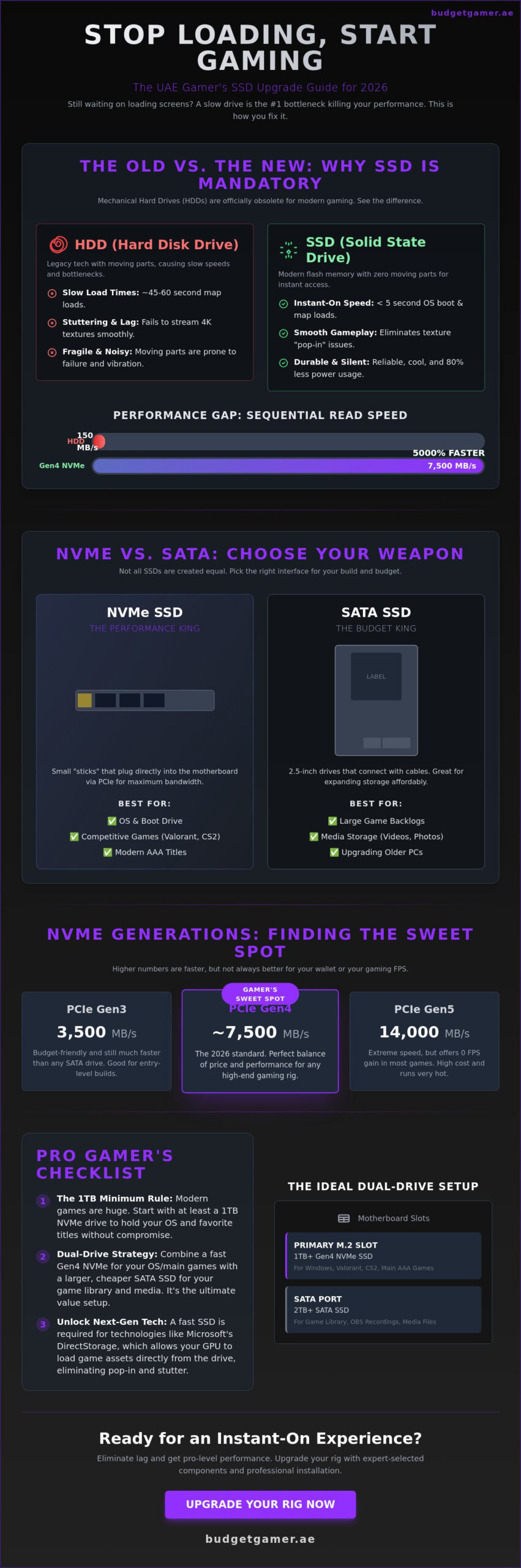
The numbers don’t lie. A standard 7,200 RPM HDD tops out at around 150MB/s. A Gen4 NVMe ssd hits speeds over 7,500MB/s. That’s a 5,000% increase in raw throughput. Random access times are even more critical. While an HDD hunts for data across a physical disk, flash storage retrieves game assets almost instantly. This is vital for massive open-world games where the engine constantly streams data. Plus, these drives are silent and consume 80% less power. This is a huge win for compact UAE gaming setups where managing heat and noise is a priority.
The Evolution of SSD Form Factors
Choosing the right shape matters for your build. The 2.5-inch SATA drive is the legacy standard, perfect for giving an older PC a second life. However, M.2 NVMe is the modern king. These small “sticks” plug directly into your motherboard, eliminating messy cables. Every Budget Gamer build uses this format for maximum speed. If you’re a gamer on the move between Abu Dhabi and Dubai, external versions offer high-speed storage you can fit in your pocket. Play like the pros and choose the format that fits your budget and your board.
NVMe vs. SATA: Choosing the Right Speed for Your Build
Stop bottlenecking your rig with tech from the last decade. The biggest choice you’ll make for your storage is the protocol. SATA is a legacy standard. It was built for slow, spinning hard drives. NVMe was built for speed. It uses the PCIe lanes to talk directly to your CPU. This bypasses the old bottlenecks that keep your load times high. For a deep dive into the technical side, this SSD technology explained guide covers how memory cells actually handle your data. In 2026, an NVMe drive is the baseline for any serious gaming PC in Dubai.
SATA isn’t dead yet. It’s the budget king for secondary storage. While NVMe handles your OS and competitive titles, a large SATA ssd is perfect for your massive backlogs. You get reliable performance at a much lower price point per gigabyte. When building your rig, match your drive to your motherboard. Don’t buy a Gen5 drive if your board only supports Gen4. You’ll pay for speed you can’t actually use.
- NVMe: Essential for boot drives and modern AAA games.
- SATA: Best for 2TB+ storage of media and indie titles.
- PCIe Gen3: Budget-friendly, hits 3,500MB/s.
- PCIe Gen4: The 2026 standard for high-performance builds.
Gen4 vs. Gen5: Is the Extra Cost Worth It?
Gen5 drives are the new speed demons, hitting 14,000MB/s. That sounds amazing, but let’s look at the facts. In 95% of current games, the FPS difference between Gen4 and Gen5 is zero. You might save 0.5 seconds on a loading screen. Gen5 drives also run incredibly hot. They usually require massive heatsinks or even tiny dedicated fans to stay stable. For most UAE gamers, the 450 AED to 700 AED price premium for Gen5 isn’t worth it. Spend that extra cash on a better GPU instead.
The “Budget King” Sweet Spot
Gen4 NVMe remains the best value for gamers in 2026. It’s fast, reliable, and affordable. If you play competitive titles like Valorant or CS2, you need a drive that hits at least 5,000MB/s. This ensures your maps load instantly so you’re never the last person into the lobby. Play Like The Pros by using a smart dual-drive strategy. Put your OS and main games on a fast 1TB Gen4 NVMe. Use a cheaper SATA ssd for everything else. This setup gives you top-tier speed where it matters most. Ready to build? Check out our latest storage components to find the best deals in the UAE.
How SSD Speed Transforms Your 2026 Gaming Experience
Speed defines the 2026 gaming era. It isn’t just about getting past a loading screen anymore. It’s about how your game actually plays. Modern titles now stream assets in real-time. If your drive is slow, your game breaks. A high-performance ssd ensures every texture and sound file is ready the millisecond you turn a corner in a massive open-world map. This is about total immersion and zero interruptions.
DirectStorage technology has changed the game for Windows 11 and 12 users in the UAE. This tech allows your GPU to pull data directly from the drive. It skips the old CPU bottleneck. You get a 40% reduction in CPU overhead during asset decompression. This means more processing power for high frame rates and realistic AI. You won’t just see the difference; you’ll feel it in the responsiveness of your controls. It’s the secret to making a budget-friendly rig feel like a high-end beast.
- Zero Pop-in: Forget seeing buildings or trees flicker into existence. Fast NVMe drives stream high-resolution assets instantly.
- Instant Travel: Moving across massive RPG maps takes three seconds, not three minutes.
- Streamer Stability: Record your gameplay at 4K 60FPS while playing. A fast drive handles both data streams without a single stutter.
DirectStorage and Modern Game Engines
Game engines like Unreal Engine 5.5 require high-speed data pipelines. Many 2026 AAA titles won’t even launch on old mechanical drives. They need the 5,000MB/s plus speeds of a Gen4 NVMe ssd to function properly. Investing in a fast drive now is the ultimate way to future-proof your rig. You’ll be ready for the next wave of immersive simulators and massive multiplayer worlds without needing an upgrade next year. Start now and stay ahead of the curve.
Competitive Advantages in Esports
In the Dubai esports scene, every millisecond counts. High-speed drives eliminate micro-stutter. This happens when the game pauses for a fraction of a second to load background assets. It ruins your aim and costs you the match. A top-tier drive ensures consistent frame delivery during intense firefights. You also load into the lobby faster than the competition. This gives you those extra seconds to discuss strategy with your team before the round starts. Play like the pros and don’t let hardware lag hold you back. Your path to the top of the leaderboard starts with your storage choice.
The Gamer’s Selection Checklist: Capacity, Longevity, and Cooling
Picking the right ssd isn’t just about chasing the highest read speeds. It’s about making sure your hardware survives the demands of 2026 gaming and the intense climate of the Middle East. You need a drive that balances raw storage space with long-term reliability. Don’t let a cheap component be the bottleneck in your high-performance build. Focus on these three pillars to ensure your system stays fast for years.
Capacity Guide: How Much Do You Really Need?
In 2026, 1TB is the absolute minimum for any serious gaming rig. Modern AAA titles now average 150GB to 200GB per installation. A 500GB drive will disappear after you install just three major games and your operating system. For professional gamers and content creators in Dubai, the 2TB ssd has become the new sweet spot for value. It provides enough breathing room for a massive library and high-resolution 4K gameplay captures. We recommend a partitioning strategy: keep 250GB for your OS and apps, and use the remaining space as a dedicated gaming volume to keep your file structure organized.
- 1TB: Entry-level. Good for 4-5 major titles.
- 2TB: The “Pro” standard. Ideal for creators and heavy gamers.
- 4TB+: Enthusiast level. Best for those who never want to uninstall a game.
Thermal Throttling and Heat Sinks
Heat is the silent performance killer for M.2 drives, especially during a UAE summer. When your drive exceeds 70°C, it triggers thermal throttling. This safety mechanism slashes your transfer speeds by up to 80% to prevent hardware damage. Your lightning-fast Gen5 drive could suddenly perform slower than an old hard drive if it gets too hot. Most high-end motherboards sold in the UAE come with integrated thermal shields. If yours doesn’t, buy an aftermarket heatsink. These simple aluminum fins can drop temperatures by 15°C. Ensure your case has at least three 120mm intake fans to move fresh air directly over your M.2 slots.
DRAM vs. DRAM-less and TBW
If you’re picking a boot drive, always choose one with a dedicated DRAM cache. DRAM-less drives are cheaper but they’ll stutter during heavy multitasking. For longevity, check the TBW (Terabytes Written) rating. A standard 1TB gaming drive should offer at least 600 TBW. This means you can write 100GB of data every single day for over 15 years before the drive wears out. It’s the ultimate peace of mind for your investment.
Ready to upgrade your storage and dominate the lobby? Play Like The Pros with our latest high-performance hardware.
Upgrade Your Rig with Budget Gamer UAE’s Expert Solutions
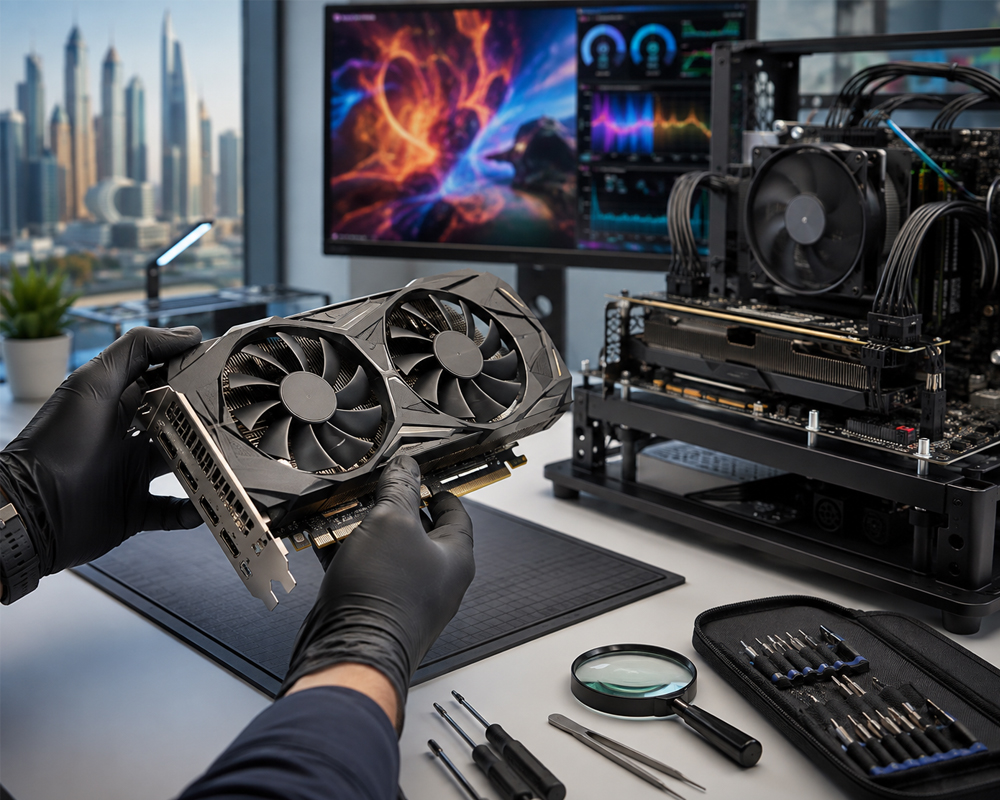
Picking the right hardware is only half the battle. You need a setup that works the moment you hit the power button. At Budget Gamer UAE, we don’t just ship boxes; we deliver optimized machines. Whether you’re building a new rig or breathing life into an old one, our team ensures your storage doesn’t become a bottleneck. We understand the local market and the specific demands of gaming in the UAE heat.
We select every ssd based on real-world performance metrics rather than just marketing numbers. For our “Budget King” systems, we prioritize reliability and value, selecting drives that offer the best IOPS per dirham. Our “Beast” systems get the premium treatment with Gen5 drives that reach speeds over 10,000 MB/s. We also offer professional installation services. Moving your OS to a new drive is risky if you aren’t familiar with BIOS settings. We handle the cloning and partition alignment so your Windows 11 boot times stay under 10 seconds.
Thinking about a pre-owned drive? It’s a great way to save money, but you have to be careful. We verify every used drive by checking the S.M.A.R.T. data to confirm the remaining lifespan and total bytes written. We never sell a drive with a health rating below 95%. When you customize your build at checkout, you can choose exactly how much storage you need. You can mix a fast 500GB NVMe boot drive with a high-capacity 2TB secondary drive for your library. This flexibility ensures you never pay for more than you actually use.
The Budget Gamer Advantage
Quality matters when your save files are on the line. We only use Tier-1 storage brands like Samsung, Western Digital, and Crucial to ensure your data stays safe for years. Every drive undergoes a rigorous stress test for peak read and write performance before we ship your system. We make sure the firmware is updated to the latest version to avoid known bugs. For more details on how we balance parts, check out our PC Build UAE: The Ultimate 2026 Guide for full system context.
Play Now, Pay Later with Tabby
Upgrading your ssd shouldn’t break your monthly budget. We’ve partnered with Tabby to offer interest-free financing on all components and full builds. You can split your purchase into four easy payments with zero hidden fees. Just select Tabby at checkout, link your UAE bank card, and get instant approval. It’s the fastest way to get your rig up to speed without the heavy upfront cost. Select your parts, choose Tabby, and enjoy your new performance immediately.
Dominate the 2026 Leaderboards with Pro-Level Speed
Your 2026 gaming rig needs more than just raw GPU power; it demands the lightning-fast response of a high-performance ssd to eliminate stutter and long loading screens. Switching to NVMe technology ensures your system handles the massive asset streaming required by the latest AAA titles without breaking a sweat. It’s the most effective way to future-proof your build against the hardware demands of next-gen engines. Don’t let outdated storage bottlenecks kill your competitive edge in Dubai’s fast-paced gaming scene.
Budget Gamer UAE is your local one-stop destination for high-speed hardware that won’t break the bank. Every custom build comes with a 1-year warranty and dedicated expert local UAE technical support to keep you in the game. We’ve made professional performance accessible with zero-interest Tabby installments, allowing you to play now and pay later. It’s time to upgrade your experience and join the ranks of elite players across the Emirates.
Ready to transform your setup? Browse our High-Performance SSD-Powered Gaming PCs and play like the pros today.
Frequently Asked Questions
Can I install an NVMe SSD in any old gaming PC?
No, your motherboard must have a dedicated M.2 M-Key slot or a compatible PCIe expansion lane. Most motherboards released before 2015 don’t support NVMe boot drives natively. If your system is over a decade old, a SATA SSD is your best bet because it still offers a 5x speed boost over traditional hard drives without needing special ports.
Is a 500GB SSD enough for gaming in 2026?
No, 500GB is no longer sufficient for a primary gaming drive in 2026. Modern AAA titles frequently exceed 250GB in size, meaning two big games could completely fill your storage. We recommend a 1TB ssd at minimum to house your OS and 5 or 6 major titles comfortably. This extra capacity also helps the drive maintain peak performance through better wear leveling.
Does an SSD increase FPS in games?
An SSD won’t boost your maximum frame rates, but it significantly improves your 0.1% low FPS by eliminating stuttering. When a game needs to load new textures or zones, a slow HDD causes hitching while the system waits for data. Moving to flash storage reduces loading times from 60 seconds to under 10 seconds. You’ll enjoy a much smoother experience without those annoying micro-freezes.
What is the difference between Gen4 and Gen5 SSDs?
Gen5 drives offer double the theoretical speed of Gen4, reaching up to 14,000 MB/s compared to 7,500 MB/s. While Gen5 is the current speed king, Gen4 remains the best value for UAE gamers today. Most games can’t fully utilize Gen5 bandwidth yet, so you can save your AED for a better GPU upgrade. Gen4 is plenty fast for professional-level gaming and fast boot times.
Do I need a heatsink for my M.2 SSD in the UAE?
Yes, a heatsink is a smart investment for any high-performance drive operating in the UAE’s climate. Ambient temperatures in Dubai often lead to internal case heat that can push drives past 70°C. When an M.2 drive gets too hot, it throttles its speed by 50% to protect the hardware. Look for a motherboard with built-in thermal guards or choose a drive with a factory-fitted heatsink.
How long do SSDs usually last for a heavy gamer?
A quality drive typically lasts between 5 and 10 years even with heavy daily use. Most 1TB models are rated for 600 TBW, which means you can write 600 terabytes of data before the cells wear out. If you install 100GB of new games every single day, you’d still have over 15 years of life. It’s much more likely you’ll upgrade for more speed before the drive actually fails.
Is it worth buying a pre-owned SSD for a budget build?
Buying a pre-owned ssd is generally a bad idea because you can’t easily verify how much life is left in the flash cells. You might save 50 AED, but you risk losing all your data if the previous owner used it for heavy server tasks or crypto mining. Stick to new drives from trusted local shops to ensure you get a full 3-year or 5-year warranty for total peace of mind.
How do I move my Windows OS from an HDD to a new SSD?
You can move your OS quickly using cloning software like Macrium Reflect or the tool provided by your drive manufacturer. Simply connect the new drive, select your current HDD as the source, and hit Clone. This 20-minute process copies every file and setting perfectly. Once it’s done, restart your PC and select the new drive as the primary boot device in your BIOS settings.