Blog
Upgrading a Pre-Owned Gaming PC in the UAE: What to Check and How to Optimise for 2026

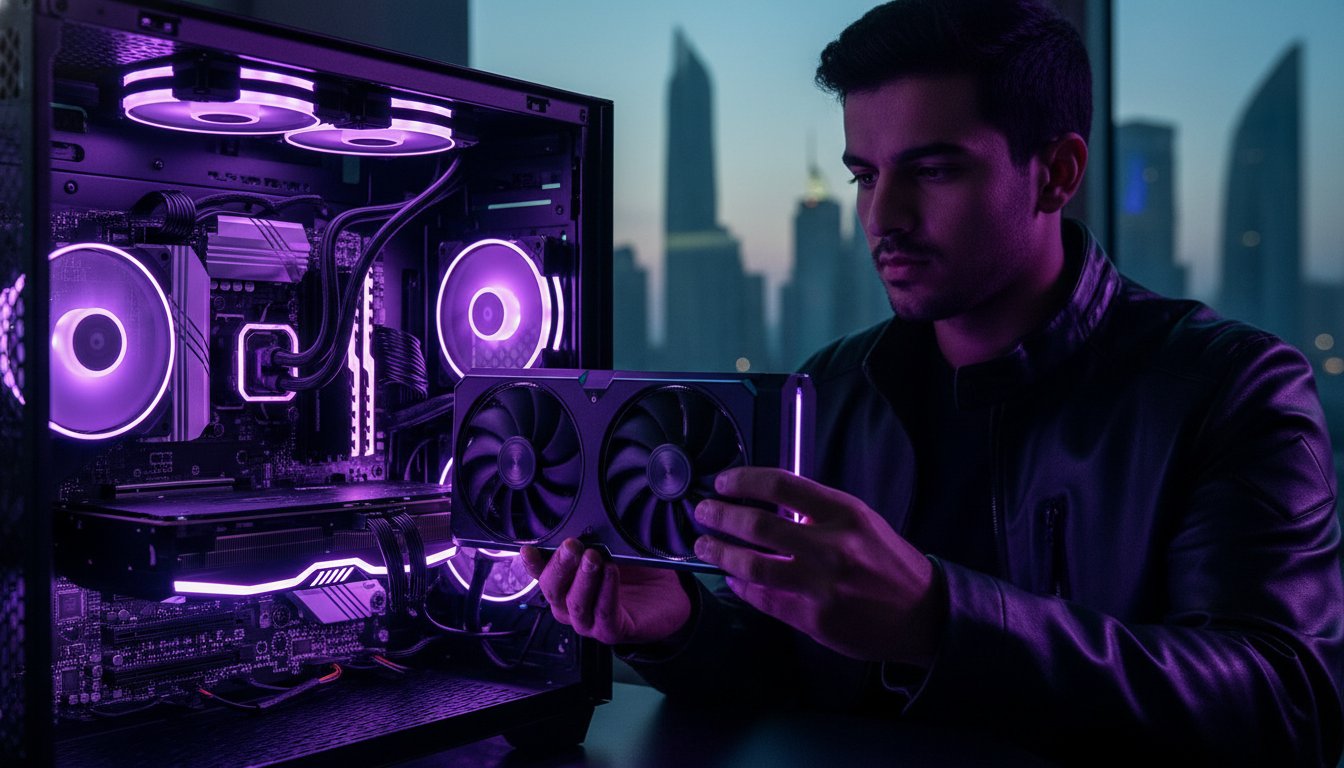
Your “new” used rig is one UAE summer away from becoming an expensive paperweight if you don’t audit it correctly. It’s a bold claim, but in this region, heat is the ultimate performance killer. You’ve likely spent weeks hunting for a deal, yet the fear of a burnt-out mining GPU or compatibility issues remains. We get it. Mastering the process of upgrading a pre-owned gaming pc uae is the smartest way to dodge high retail prices while securing professional-grade performance.
You deserve a system that handles 2026 titles without breaking a sweat or your bank account. This guide provides a clear roadmap to testing hardware health and ensuring component compatibility. We’ll show you how to audit your rig and pick the right parts to keep your system running Windows 11 version 26H1 smoothly. Learn how to optimize for the UAE climate and build a machine that rivals an 11,000 AED high-end unit for a fraction of the cost. It’s time to turn that budget find into a beast.
Key Takeaways
- Spot hidden hardware damage like capacitor bloat or PCB discoloration before you invest in any new components.
- Identify performance bottlenecks and prioritize high-speed storage when upgrading a pre-owned gaming pc uae to ensure 2026 readiness.
- Combat the harsh UAE heat by replacing old thermal paste and optimizing case airflow for maximum thermal efficiency.
- Wipe the previous owner’s digital footprint with a clean Windows installation and specialized driver removal tools for a fresh, stable start.
- Know exactly when to DIY and when to seek professional expertise for complex thermal applications or cable management.
The Pre-Upgrade Audit: Is Your Used Rig Worth the Investment?
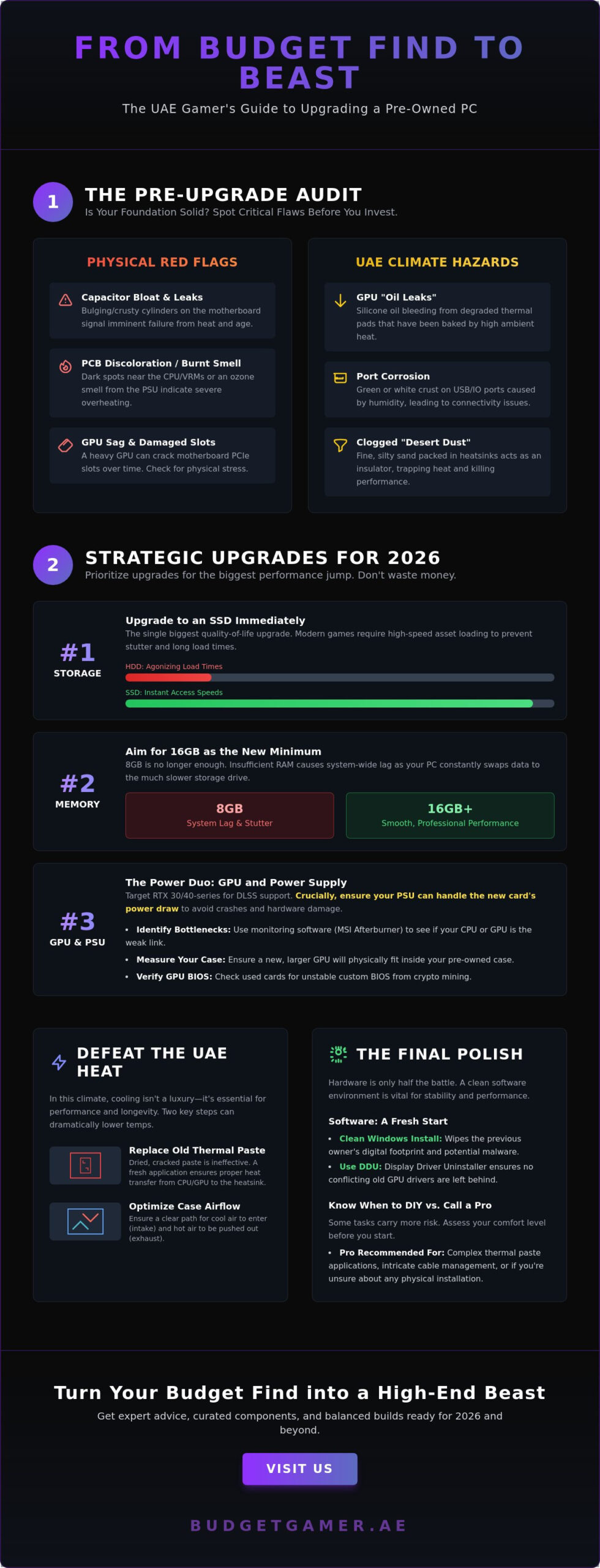
Before you drop a single dirham on a new RTX card or faster RAM, you need to know if your foundation is solid. Spending money on upgrading a pre-owned gaming pc uae gamers often find on the secondary market is only smart if the core components aren’t already failing. Start with a cold, hard look at the motherboard. Look for “capacitor bloat” where the tops of the small cylinders are bulging or leaking crusty residue. Scan the PCB for discoloration; dark spots around the CPU socket or VRMs suggest the previous owner pushed the voltages too high in a hot room. These are signs of heat fatigue that no new part can fix.
Give the power supply a literal sniff test. A faint “burnt electronics” or ozone smell near the rear exhaust is a massive red flag for failing internal components. Check the PCIe slots for physical stress. Heavy cards from previous generations often cause “GPU sag” that can actually hairline-fracture the traces in the motherboard over time. Finally, look at the screw heads and warranty stickers. If they’re shredded or missing, someone has been inside that component. Unless they were a pro, amateur “repairs” usually mean hidden trouble that will surface exactly when you don’t want it to.
The Physical Health Check
The UAE climate presents unique challenges for hardware longevity. Open the GPU and look for “oil leaks” on the backplate. This is usually silicone oil bleeding from degraded thermal pads that have been baked by high ambient temperatures. Check the rear IO and USB ports for green or white crust; humidity can cause subtle corrosion that leads to intermittent connectivity. Most importantly, hunt for “desert dust.” This fine, silty sand gets everywhere. If it’s packed into the heatsink fins, it acts as an insulator, trapping heat and killing your essential cooling upgrades before you even install them.
The BIOS and Software Handshake
A physical pass isn’t enough for a 2026-ready build. Boot into the BIOS to ensure it’s a modern UEFI version that can be updated. Many older boards need specific firmware versions to support the latest generation of high-performance CPUs. Once in Windows, use a utility to check the “Total Terabytes Written” (TBW) on any included SSDs. If the drive is near its rated limit, it’s a ticking time bomb for your OS and game files. Finally, verify the hardware ID is clean. Some used rigs are sold cheap because they’ve been hardware-banned from popular competitive titles. Upgrading a pre-owned gaming pc uae enthusiasts should be a path to victory, not a headache of banned accounts and crashing drivers.
Strategic Upgrade Paths for 2026 Gaming Performance
Stop guessing and start measuring. You don’t want to throw money at a problem that doesn’t exist. Download monitoring software like MSI Afterburner or HWInfo64 to see exactly where your system chokes during a gaming session. If your CPU hits 99% usage while your GPU coasts at 50%, a new graphics card won’t help you. This data-driven approach is essential when upgrading a pre-owned gaming pc uae systems for 2026 titles. You need to identify the specific component holding you back before you open your wallet.
Prioritize your storage immediately. If that used rig still relies on a spinning HDD, swap it out today. Modern games use high-resolution assets that require the instant access speeds of an SSD. Without one, you’ll face stuttering and agonizing load times that ruin the experience. Pair this with a RAM upgrade. 16GB is now the absolute floor for professional-grade performance. If you’re still on 8GB, your PC is swapping data to the drive constantly, which kills your frame rates and causes system-wide lag.
Before buying a flagship GPU, check your Power Supply Unit (PSU). A high-end card can pull massive amounts of power. If your pre-owned system has a generic or low-wattage PSU, you’re asking for a system crash or hardware failure. Match your parts to your power budget to keep the components safe. If the hardware math doesn’t add up for your current rig, consider checking out The Budget King PC Build for a balanced, high-performance alternative that’s ready for 2026.
The GPU: Your Biggest Performance Jump
Graphics cards are the heart of your gaming experience. Target the NVIDIA RTX 30-series or 40-series for the best balance of cost and power. These cards support DLSS technology, which is vital for hitting high frame rates on older hardware. Be cautious with used cards. Mining-damaged GPUs often have custom BIOS versions that can be unstable. Check the BIOS version in GPU-Z against factory specs to be sure. Also, grab a tape measure. Pre-owned office-style cases often lack the clearance for modern, triple-fan graphics cards.
Memory and Storage: The Low-Cost Wins
Low-cost wins often come from the smallest parts. NVMe M.2 drives are significantly faster than older SATA SSDs and plug directly into your motherboard. They remove cable clutter and slash boot times for a more responsive feel. When upgrading a pre-owned gaming pc uae, don’t just match the RAM capacity. Match the speed (MHz) and latency (CL) to your existing stick, or buy a matched pair. Always install them in a dual-channel configuration. This simple step doubles your memory bandwidth and provides a massive boost in CPU-heavy games.
Defeating the UAE Heat: Essential Cooling Upgrades
UAE summers aren’t just hard on you; they’re lethal for used silicon. If you’re upgrading a pre-owned gaming pc uae style, cooling isn’t an optional extra. It’s the survival kit your rig needs to survive 45-degree days. Most used PCs come with factory thermal paste that has turned into dry, flaky clay. This “crust” stops heat from leaving your chip, leading to thermal throttling where your PC slows down to save itself. You lose FPS, and your components die faster. It’s a cycle that kills performance right when you need it most.
Airflow is your next battleground. High ambient temperatures in the region mean your case needs to move air faster than a standard office PC. Forget “balanced” airflow. You need a “positive pressure” setup. This means you have more air coming in through filtered intakes than going out. This setup forces air out of every small crack in the case. It prevents that fine, abrasive desert sand from being sucked into your expensive GPU and motherboard. Add magnetic dust filters to every intake. They’re cheap, easy to clean, and the best insurance for a used system in the Emirates.
Thermal Repasting 101
Factory thermal paste usually has a lifespan of about three years before its conductivity drops off. If your used rig is from 2023 or earlier, the paste is likely failing. Wipe away the old gunk with 99% isopropyl alcohol. Apply a high-performance, high-conductivity paste like Thermal Grizzly. This specific upgrade can drop your temperatures by 10 to 15 degrees Celsius. That’s the difference between a system that stutters and one that maintains peak clock speeds during a heavy 2026 gaming session. It’s the cheapest way to buy back lost performance.
Fan Configuration and Airflow
Don’t just buy the cheapest fans you find. Look for high-static pressure fans. These are designed to push air through restrictive gaps like mesh panels and dust filters. Once installed, set a custom fan curve in your BIOS. Make the fans ramp up to 70% or 80% once the CPU hits 60 degrees. It’s louder, but it’s necessary for the UAE summer months. Use a can of compressed air to blast out the fin stacks on your heatsinks. Even a thin layer of dust reduces cooling efficiency significantly. Keep it clean, keep it cool, and your pre-owned rig will outlast any retail floor model.
Software Optimisation: A Fresh Start for Your Pre-owned PC
Hardware is only half the victory. A high-end GPU means nothing if a cluttered operating system or conflicting drivers choke your performance. When upgrading a pre-owned gaming pc uae gamers often inherit years of digital junk from the previous owner. You need to purge the system. Start with a clean install of Windows 11 version 26H1. This removes hidden bloatware, telemetry trackers, and potentially malicious files that slow down your boot times. It’s the only way to ensure your new components perform at their theoretical maximum.
Switching GPU brands? Use Display Driver Uninstaller (DDU). If you’re moving from an old AMD card to a modern RTX 4080, simply hitting “uninstall” isn’t enough. Old driver remnants cause micro-stuttering and random crashes in modern titles. DDU wipes the slate clean in Safe Mode. Once your OS is fresh, install the latest chipset drivers directly from the manufacturer. These drivers tell Windows how to talk to your CPU, ensuring it boosts to its rated speeds during intense gaming sessions. Finally, set your Windows Power Plan to “High Performance” to prevent the system from down-clocking your hardware to save power.
Ready to skip the configuration headache? Browse our fully optimized Pre-owned Gaming PCs that are already tuned for peak performance.
The Clean Slate Protocol
Protect your privacy while boosting speed. Use a secure wipe tool to clear the drive before the fresh install. This ensures no leftover data fragments interfere with your new file system. Next, update your motherboard BIOS to the latest stable 2026 version. Modern firmware often includes updates that improve stability and memory compatibility. Once Windows is up, open Task Manager and disable every unnecessary startup app. Every megabyte of RAM saved is more room for your games to breathe.
Monitoring Your Progress
Don’t just feel the speed; prove it. Use HWInfo64 during your first gaming session to track live temperatures and clock speeds. If your CPU temperatures stay below 85 degrees while gaming, your thermal application is a success. Run a benchmark like 3DMark or Cinebench before and after your upgrades. Seeing a significant jump in scores provides the confidence that your investment was worth it. If you still notice stuttering, check for old driver remnants or background tasks that escaped the initial purge. A perfectly tuned software environment is what separates a used computer from a professional-grade gaming system.
Professional Upgrading vs. The DIY Risk
DIY building is a badge of honor, but you must know when to call in the experts. Sometimes a component is too far gone for a simple fix. If a motherboard shows micro-cracks from years of GPU sag or a power supply is over five years old, upgrading a pre-owned gaming pc uae becomes a high-stakes gamble. Professionals have the diagnostic tools to test voltage ripple and thermal hotspots that a standard home audit might miss. Don’t throw good money after bad by forcing an upgrade on a dying foundation. Recognize when it’s time to swap the base entirely.
Professional cable management is another hidden performance booster. It isn’t just about making the inside look clean for social media. In our intense desert climate, a “rat’s nest” of tangled wires blocks critical airflow and creates pockets of stagnant, hot air. Expert builders optimize every millimeter of case space to ensure your intake fans actually reach the components. They also apply thermal paste with surgical precision to avoid microscopic air bubbles. This level of detail keeps your system stable when the ambient room temperature rises.
Choosing a “Certified Pre-owned” rig offers a much safer baseline than a random private sale. You get a machine that has already survived a rigorous technical audit, giving you a reliable platform for 2026 gaming. We bridge the gap between the extreme value of the used market and the rock-solid reliability of a new build. You get the professional standards you deserve without the high-end retail markup.
Budget Gamer UAE: Your Local Expertise
We don’t just move boxes; we curate performance. Our 50-point inspection ensures every base rig is stable, clean, and ready for the latest high-performance parts. This process eliminates the “mining-damaged” lottery common on local classified sites. Our pre built pc uae rigs serve as the perfect upgrade foundation for any enthusiast. You gain access to local support and a level of accountability that private sellers can’t match. We understand the specific thermal challenges of the Emirates and build every system to thrive here.
Final Steps to Your Dream Setup
Your tower is only one half of the equation. To truly feel the 2026 performance gains, pair your upgraded rig with a high-refresh gaming monitor. Don’t let an old, blurry screen bottleneck your new hardware. If you’ve realized your current rig is too outdated for a simple fix, we’re here to help. Explore our custom PC options to design a machine from the ground up. Don’t settle for a laggy, stuttering experience. Optimize your rig today and get back into the game with professional-grade gear.
Build Your 2026 Powerhouse Today
You now have the roadmap to turn a used rig into a professional-grade system. Focus on the “Thermal-First” strategy to beat the UAE heat and always prioritize a clean software slate. Mastering the art of upgrading a pre-owned gaming pc uae allows you to bypass inflated retail prices while securing the performance you need for next-generation titles. Whether you’re swapping a GPU or repasting an old CPU, every step brings you closer to elite frame rates.
Don’t let the risk of a failing component or compatibility issues hold you back. If you want the value of a used machine with the peace of mind of a new one, we are your local resource. Skip the upgrade headache and browse our Certified Pre-owned Rigs! Every system passes our 50-point technical health audit and comes with a local UAE warranty. We even offer interest-free installments with Tabby to make your dream setup more accessible than ever.
Professional performance is no longer a luxury reserved for the elite. Take action on your build today or let us handle the technical heavy lifting for you. It’s time to get back into the game and experience 2026 titles at their absolute best.
Frequently Asked Questions
Is it worth upgrading a 5-year-old pre-owned gaming PC in the UAE?
It is absolutely worth it if your core platform supports modern standards like PCIe 4.0. Upgrading a system from 2021 or 2022 is a smart way to get 2026 performance without the high retail price tag of a brand-new high-end rig. Focus on the GPU and RAM first to see the biggest gains. If the motherboard is older than six years, the platform cost of a new CPU might make a fresh build better.
What is the most important component to upgrade first in a used rig?
The SSD is the most important upgrade for overall system speed if the PC still uses a mechanical hard drive. For gaming performance, the GPU is the king. Most used rigs in the UAE are held back by older graphics cards that can’t handle Ray Tracing or DLSS. Swapping to an RTX 30 or 40-series card provides the most immediate jump in frame rates and visual fidelity for 2026 titles.
How can I tell if a used GPU was used for crypto mining?
Look for yellowing or oily residue on the PCB and thermal pads, which indicates long-term high-heat exposure. Check the BIOS version using GPU-Z because miners often flash custom firmware to increase efficiency. If the fans rattle or feel loose, they’ve likely been running at 100% speed for months. While mining doesn’t always kill a card, these signs suggest the hardware has been pushed to its limit in a hot environment.
Does the UAE heat actually damage PC parts faster?
High ambient temperatures accelerate thermal fatigue in capacitors and dry out thermal paste much faster than in cooler climates. In the UAE, dust and fine sand also act as insulators, trapping heat inside heatsinks. This combination forces fans to run harder, leading to earlier mechanical failure. Regular maintenance and upgrading a pre-owned gaming pc uae with better cooling solutions are essential for hardware longevity in this region.
Can I use Tabby to pay for PC upgrades at Budget Gamer UAE?
Yes, you can use Tabby to split your purchase into four interest-free installments. This makes high-performance upgrades much more accessible without a massive upfront cost. Whether you are eyeing a new GPU or a complete “Certified Pre-owned” system, Tabby provides the financial flexibility to get your gear now and pay later. It’s a great way to manage your budget while still securing professional-grade hardware for your setup.
How do I check if my power supply is strong enough for a new GPU?
Open your case and look for the sticker on the side of the Power Supply Unit (PSU). You need to check the total wattage and the +12V rail amperage. Modern cards like the RTX 4080 require at least a 750W or 850W gold-rated unit. Also, ensure your PSU has the correct 8-pin or 16-pin PCIe power cables. If your PSU is a generic brand or under 600W, replace it before adding a high-end card.
Why is my used PC loud even when I am not gaming?
Excessive noise usually means your fans are working overtime to combat heat or high CPU usage. Check for desert dust clogging your heatsinks and replace the old thermal paste immediately. If the hardware is clean, the noise might be caused by background bloatware or trackers from the previous owner. A clean Windows install often solves this by removing hidden processes that keep the CPU active and the fans spinning at high speeds.
Is it better to buy a used PC or build a new budget rig in 2026?
Buying a used PC often gives you better raw performance per dirham, especially when upgrading a pre-owned gaming pc uae with specific new parts. You can often get a mid-range used system for the price of an entry-level new build. However, building new provides a full manufacturer warranty. For the best of both worlds, our Certified Pre-owned rigs offer tested, high-performance hardware with a local UAE warranty to eliminate the risks of the used market.