
Blog
How to Choose the Right Power Supply for Your Gaming PC

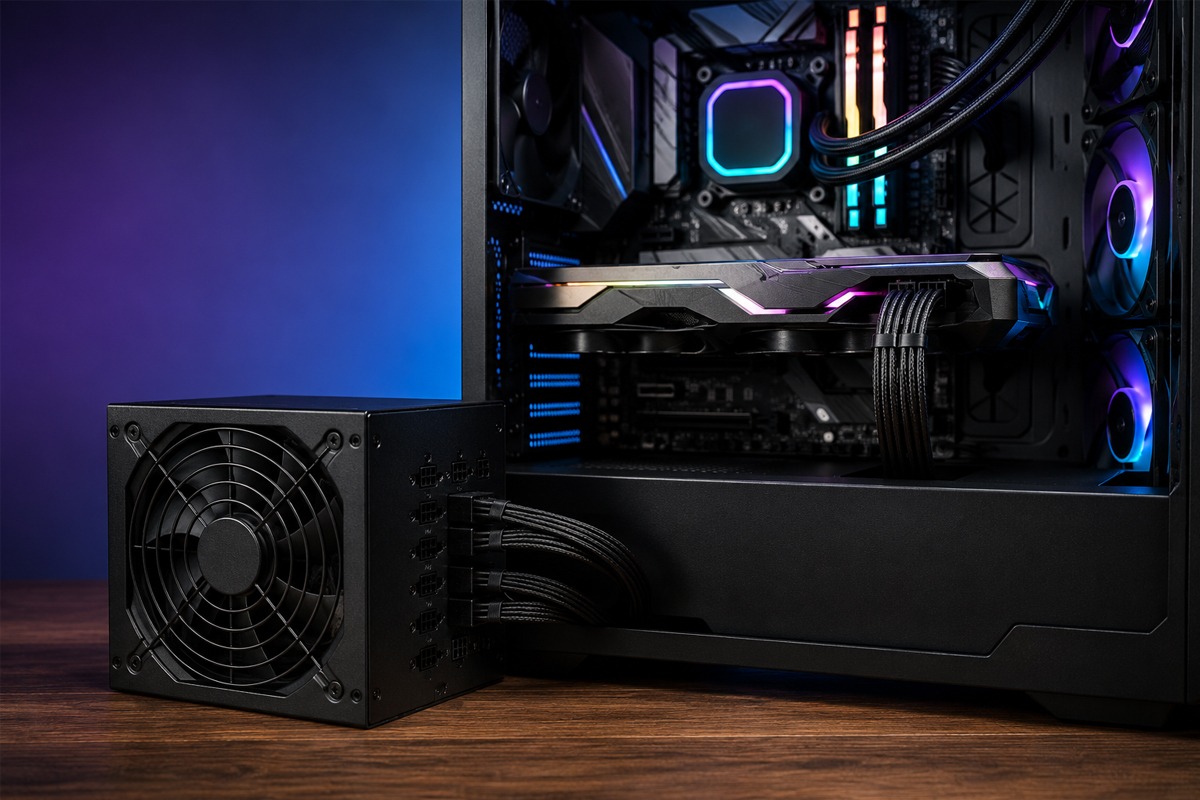
When building or upgrading a gaming PC, most gamers focus on the graphics card, processor, RAM, and storage. However, there is another component that directly affects the stability, reliability, and upgrade potential of your entire system: the power supply unit (PSU).
Choosing the right power supply for your gaming PC is not simply about buying the highest wattage available. You need enough capacity for your CPU and GPU, suitable connectors, good efficiency, reliable build quality, and enough headroom for demanding workloads and future upgrades.
A poor-quality or undersized PSU can cause random shutdowns, instability, crashes, and upgrade limitations. A properly selected unit, on the other hand, can reliably support your gaming PC for years.
In this guide, we explain how to choose the right PSU for your gaming PC and what specifications you should check before buying one.
What Does a Power Supply Do in a Gaming PC?
The PSU converts electricity from your wall outlet into the regulated DC power required by your PC components.
It supplies power to components including:
- Graphics card
- Processor
- Motherboard
- SSDs and hard drives
- Cooling fans
- RGB lighting
- Pumps and other accessories
Your PSU therefore needs to provide sufficient and stable power when your gaming system is under heavy load.
Modern graphics cards and processors can draw considerably more power during gaming than when the computer is idle. This makes PSU quality particularly important for performance-focused gaming systems.
How Much PSU Wattage Does a Gaming PC Need?
One of the first specifications you’ll see when shopping for a PSU is wattage.
Common gaming PSU capacities include:
- 550W
- 650W
- 750W
- 850W
- 1000W
- 1200W and higher
The correct capacity depends primarily on your CPU, graphics card, and the rest of your configuration.
A typical entry-level gaming PC may operate comfortably with a quality 550W or 650W unit, while a more powerful 1440p gaming system may require approximately 650W–850W depending on its hardware.
High-end 4K gaming PCs equipped with power-hungry GPUs and processors may require 850W, 1000W, or more.
For example, Budget Gamer’s guide to choosing a graphics card notes that mid-range gaming builds commonly use 650W–750W PSUs, while high-end configurations can require 850W–1000W.
The key is to calculate your system requirements rather than choosing wattage based purely on the label.
Leave Some Power Headroom
Your PSU generally shouldn’t be selected to match your PC’s estimated maximum consumption exactly.
For example, if your system is expected to consume around 550W under demanding workloads, buying a 550W PSU leaves very little room for power spikes, additional components, or future upgrades.
Instead, choose a PSU with reasonable headroom.
Budget Gamer’s existing PC Builder Guide recommends calculating total system power consumption and adding approximately 20% overhead.
This additional capacity can help accommodate demanding workloads while also making future upgrades easier.
However, this doesn’t mean every gaming PC needs a 1200W PSU. Overspending on capacity you are unlikely to use usually provides little gaming-performance benefit.
Pay Special Attention to Your Graphics Card
The GPU is one of the most important factors when determining PSU requirements.
A budget graphics card may consume relatively little power, while a flagship gaming GPU can dramatically increase total system demand.
Before purchasing your PSU, check the graphics card manufacturer’s recommended PSU capacity. You should also consider:
- GPU power consumption
- CPU power requirements
- Required GPU power connectors
- Number of drives
- Cooling equipment
- Additional PCIe devices
- Future GPU upgrades
If you’re still deciding which graphics card is suitable for your gaming resolution, read Budget Gamer’s Graphics Card for Gaming PC in UAE guide.
Understand 80 PLUS Efficiency Ratings
You’ll commonly see gaming PSUs advertised with efficiency certifications such as:
80 PLUS Bronze, Silver, Gold, Platinum, and Titanium.
These ratings relate primarily to how efficiently the PSU converts AC electricity into usable DC power at defined loads. Higher efficiency means less energy is lost as waste heat.
For many gaming PCs, a quality 80 PLUS Gold unit offers a practical balance between efficiency, price, and performance.
Budget Gamer’s existing gaming PC specifications guide also recommends 80+ Gold as a sensible standard for UAE gaming PCs because reduced wasted energy can help limit unnecessary heat generation.
Remember, however, that an efficiency certification alone does not guarantee overall PSU quality. Internal components, electrical performance, protections, warranty, and manufacturer reputation also matter.
PSU Quality Matters More Than a Huge Wattage Number
A common mistake is choosing a cheap 1000W PSU simply because it has a bigger wattage number than a reputable 750W model.
Wattage alone doesn’t tell you whether a PSU is good.
A gaming PC contains expensive components, particularly the GPU and CPU. The PSU is responsible for supplying them with stable power, so it is one of the worst components to compromise on.
Look for reputable PSU manufacturers and models with appropriate electrical protections.
Important protection features can include:
- Over Voltage Protection (OVP)
- Under Voltage Protection (UVP)
- Over Power Protection (OPP)
- Short Circuit Protection (SCP)
- Over Temperature Protection (OTP)
- Over Current Protection (OCP)
These features can help protect your system if abnormal electrical conditions occur.
ATX 3.x Support and Modern Gaming PCs
If you’re building a modern gaming system, PSU standards should also be considered.
Newer ATX power supply specifications are designed to better accommodate the power characteristics of modern high-performance components, including short-duration power excursions from powerful graphics cards.
Budget Gamer’s existing gaming computer guide recommends considering modern ATX-compatible PSUs when planning for current and future GPU generations.
This becomes particularly important when building a high-end gaming PC that you expect to upgrade later.
Before purchasing, check the exact PSU requirements specified by your chosen graphics card.
Check the GPU Power Connector
Connector compatibility is just as important as wattage.
Different generations and models of graphics cards may require different power connections. Depending on the GPU and PSU, you may encounter traditional PCIe 6+2-pin connectors or newer high-power GPU connector standards.
Don’t assume that a PSU is compatible simply because it provides enough wattage.
Always check:
GPU required connectors → PSU available connectors → PSU capacity.
Ideally, choose a PSU that natively supports the connections required by your graphics card.
Modular vs Semi-Modular vs Non-Modular PSU
Power supplies are generally available in three cable configurations.
Non-Modular PSU
All cables are permanently connected to the power supply.
These models can be affordable, but unused cables remain inside the case, potentially making cable management more difficult.
Semi-Modular PSU
Essential cables are permanently connected, while additional cables can be attached when needed.
This provides a useful balance between affordability and cable management.
Fully Modular PSU
Every power cable can be connected or removed individually.
For custom gaming PCs, fully modular PSUs are particularly convenient because you only install the cables your system actually requires.
Cleaner cable management can also make building, maintenance, and airflow management easier.
PSU Size and Case Compatibility
Before buying your power supply, make sure it physically fits inside your PC case.
Standard ATX PSUs work with many gaming cases, but compact gaming systems may require smaller formats such as SFX or SFX-L.
You should check:
- PSU form factor
- PSU length
- Case PSU clearance
- Cable clearance
- Drive cage position
This is particularly important with high-wattage units because some premium PSUs are longer than standard models.
Choosing a PSU for 1080p, 1440p, and 4K Gaming
Your monitor resolution doesn’t directly determine PSU wattage, but higher-resolution gaming generally requires a more powerful graphics card.
That means PSU requirements tend to increase as you move toward higher-performance hardware.
1080p Gaming
A quality 550W–650W PSU may be sufficient for many mainstream 1080p gaming systems, depending on the CPU and GPU.
1440p Gaming
Many mid-to-high-end 1440p gaming PCs are better suited to approximately 650W–850W, depending on component power requirements.
4K Gaming
High-end 4K systems may require 850W–1000W or more, particularly when combining flagship GPUs with powerful processors.
These figures are general ranges rather than universal requirements. Always check the recommendations for your exact components.
For a more detailed comparison of hardware requirements at different resolutions, read 1080p vs 1440p vs 4K Gaming: Which PC Build Is Right for You in the UAE?.
Think About Future GPU Upgrades
A PSU can often remain in your gaming PC through several hardware upgrades.
If you’re buying a 650W PSU for your current mid-range graphics card but expect to install a substantially more powerful GPU later, choosing a quality 750W or 850W model now may save you from replacing the PSU during the upgrade.
The goal isn’t to massively oversize the PSU. Instead, choose enough headroom for realistic upgrades.
If you’re upgrading an older gaming system, Budget Gamer’s Upgrading a Pre-Owned Gaming PC in the UAE guide also recommends checking PSU capacity before installing a more powerful graphics card.
Consider Efficiency and Heat in the UAE
Gaming PCs can already produce considerable heat during long gaming sessions.
In the UAE, room temperature and cooling conditions make efficient PC hardware particularly valuable.
A more efficient PSU wastes less energy as heat, while good case airflow helps remove heat produced by the CPU, GPU, PSU, and other components.
Your gaming setup should ideally include:
- A well-ventilated case
- Proper intake and exhaust fans
- Clean dust filters
- Good cable management
- A quality CPU cooler
- Regular PC cleaning
For a broader overview of balancing components and cooling, see Budget Gamer’s Understanding Gaming PC Specs in the UAE: The 2026 Performance Guide.
Should You Buy a UPS or Surge Protector?
Your PSU supplies power to your PC, but that doesn’t mean you should ignore external electrical protection.
A surge protector can help protect equipment against certain voltage spikes, while a UPS can provide temporary battery power when mains electricity fails, depending on the model and configuration.
This can be particularly useful if you want time to safely shut down your gaming PC during an interruption.
Read Budget Gamer’s guide on Do You Need a UPS or Surge Protector for Your Gaming PC in the UAE? to understand which option makes sense for your setup.
Common PSU Buying Mistakes to Avoid
When choosing your gaming PC power supply, avoid these common mistakes:
- Buying purely based on the highest wattage.
- Choosing an unknown PSU because it is cheaper.
- Ignoring GPU connector requirements.
- Running too close to the PSU’s maximum capacity.
- Assuming an 80 PLUS rating automatically means excellent build quality.
- Forgetting about future GPU upgrades.
- Ignoring PSU dimensions and case compatibility.
- Reusing modular PSU cables from a different PSU model unless the manufacturer explicitly confirms compatibility.
That final point is especially important: modular PSU cables are not universally interchangeable.
Quick PSU Selection Example
Imagine you’re building a strong 1440p gaming PC.
Your system includes:
- Mid-to-high-end graphics card
- Modern Ryzen or Intel gaming CPU
- 32GB RAM
- NVMe SSD
- Multiple case fans
- CPU cooler
If the estimated peak system demand is around 500–550W, selecting a reputable 750W unit can provide useful operating and upgrade headroom.
If you’re building around significantly more power-hungry flagship hardware, an 850W or 1000W unit may be more appropriate.
Always calculate based on the exact CPU and GPU rather than copying another PC’s PSU specification.
Final Thoughts
The power supply may not increase FPS like a new graphics card, but it is fundamental to the reliability of your gaming PC.
Start by determining the power requirements of your CPU and GPU. Add reasonable headroom, check GPU connector compatibility, choose a reputable model with appropriate electrical protections, and consider an efficient 80 PLUS Gold unit for a performance-focused gaming system.
Most importantly, don’t sacrifice PSU quality simply to spend more money on your graphics card.
A balanced gaming PC needs more than a powerful GPU. It needs a reliable foundation capable of supplying stable power today while leaving enough flexibility for tomorrow’s upgrades.
Explore more gaming PC guides and systems at Budget Gamer UAE.