
Blog
Gaming PC Electricity Consumption: How Much Does Gaming Cost in the UAE?

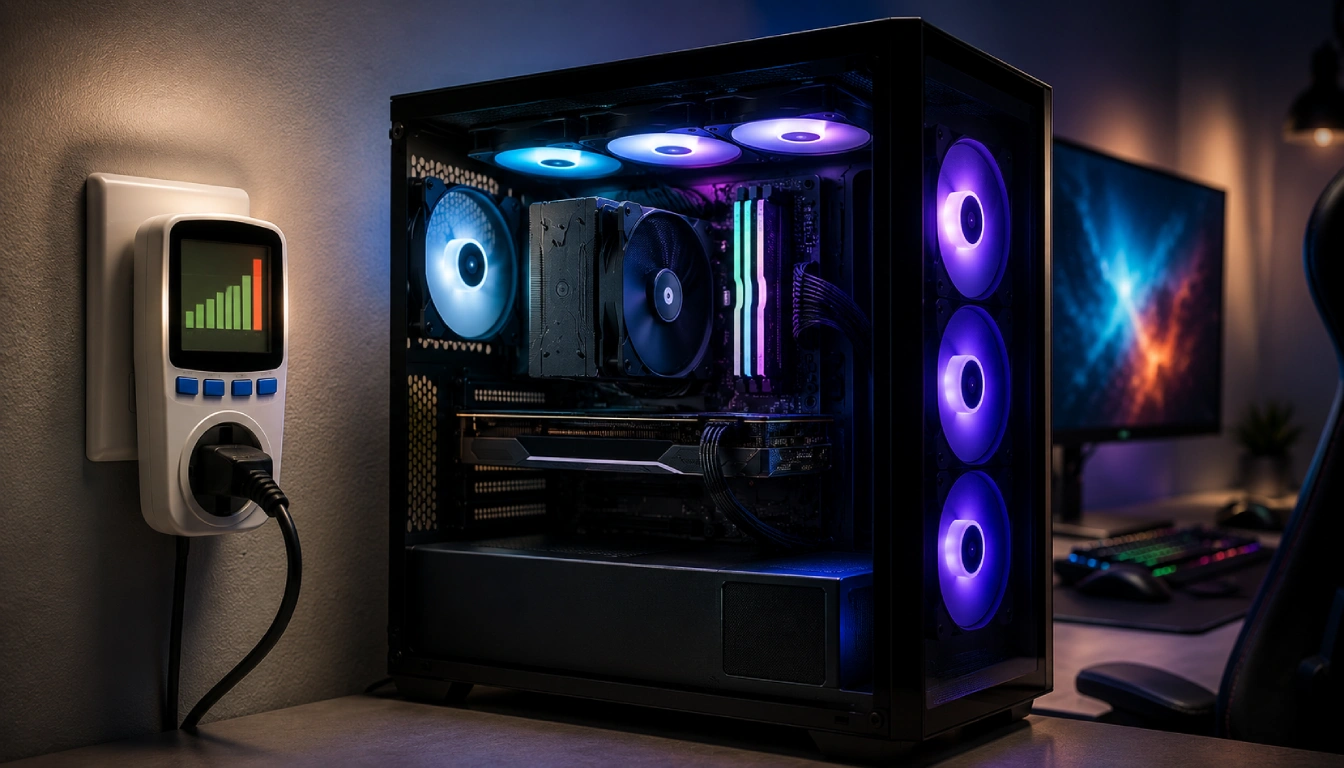
Gaming PCs deliver impressive performance, high frame rates, realistic graphics, and smooth gameplay—but that performance requires electricity. For gamers in Dubai, Abu Dhabi, Sharjah, and across the UAE, a common question before buying or upgrading a PC is: How much electricity does a gaming PC actually use, and how much will it add to the monthly electricity bill?
The good news is that gaming PC electricity consumption is usually manageable. Even powerful systems don’t constantly consume their maximum PSU wattage. Your actual electricity cost depends on your hardware, gaming workload, daily usage, monitor setup, and local electricity tariff.
In this guide from urlBudget Gamer UAEhttps://budgetgamer.ae/, we’ll break down gaming PC power consumption, estimated monthly costs in AED, and practical ways to reduce electricity usage without sacrificing gaming performance.
Quick Answer: How Much Electricity Does a Gaming PC Use?
A typical gaming PC may draw roughly 300–600 watts while gaming, although entry-level systems can consume less and enthusiast systems can consume considerably more.
Here’s a useful general estimate:
| Gaming PC Type | Approx. Gaming Power | 4 Hours/Day | Monthly Energy |
| Entry-Level Gaming PC | 200–300W | 0.8–1.2 kWh/day | 24–36 kWh |
| Mid-Range Gaming PC | 300–450W | 1.2–1.8 kWh/day | 36–54 kWh |
| High-End Gaming PC | 450–650W | 1.8–2.6 kWh/day | 54–78 kWh |
| Enthusiast Gaming PC | 650–900W+ | 2.6–3.6+ kWh/day | 78–108+ kWh |
These figures are estimates because actual consumption changes continuously depending on CPU/GPU load, FPS limits, game settings, cooling, background applications, and hardware efficiency.
UAE Electricity Prices: What Does 1 kWh Cost?
Dubai uses a slab-based electricity tariff. DEWA currently lists residential/commercial electricity rates starting at AED 0.230 per kWh for 0–2,000 kWh per month, increasing to AED 0.280, AED 0.320 and AED 0.380 per kWh at higher consumption levels. A fuel surcharge and 5% VAT also apply, so the final effective electricity cost is higher than the base energy tariff alone.
You can check the latest rates using the official urlDEWA electricity slab tariff pageturn0search0.
Because electricity tariffs and surcharges can change, the examples below should be treated as estimates rather than exact monthly bills.
How to Calculate Your Gaming PC Electricity Cost
The basic calculation is straightforward:
Electricity Used (kWh) = PC Wattage ÷ 1,000 × Hours Used
Then:
Electricity Cost = kWh Used × Electricity Rate
For example, imagine your gaming PC averages 450 watts while playing.
If you game for four hours:
450 ÷ 1,000 × 4 = 1.8 kWh per day
Over 30 days:
1.8 × 30 = 54 kWh per month
At a base tariff of AED 0.23/kWh:
54 × AED 0.23 = AED 12.42
This is the base electricity-energy portion attributable to the PC in this simplified example. Fuel surcharge, VAT, the household’s applicable consumption slab, peripherals, and other charges can change the final amount.
Estimated Monthly Gaming PC Electricity Cost in the UAE
Let’s look at a few practical scenarios.
Casual Gamer
Suppose your PC averages around 300W and you play two hours per day.
300W × 2 hours = 0.6 kWh/day
Monthly:
0.6 × 30 = 18 kWh
Using AED 0.23/kWh as a simple base-rate example:
18 × 0.23 = AED 4.14/month
So casual gaming itself can represent a relatively small portion of your overall electricity bill.
Regular Gamer
Now consider a 450W gaming system used for four hours daily.
Monthly consumption:
0.45 × 4 × 30 = 54 kWh
Base electricity cost:
54 × 0.23 = AED 12.42/month
Again, the actual billed cost can be higher after applicable surcharge, VAT and tariff slab differences.
Hardcore Gamer
Imagine a powerful PC averaging 650W during demanding gaming sessions and running six hours per day.
Monthly consumption:
0.65 × 6 × 30 = 117 kWh
Base electricity cost:
117 × 0.23 = AED 26.91/month
Even a powerful gaming system therefore doesn’t automatically mean an enormous electricity bill. The biggest differences appear when high-powered systems are used for many hours every day.
Your PSU Rating Is Not Your PC’s Actual Consumption
One of the biggest misconceptions about gaming PC electricity consumption is that an 850W power supply constantly consumes 850 watts.
It doesn’t.
An 850W PSU means it is designed to supply up to that level of power under appropriate conditions. Your PC only draws the electricity required by its components at a particular moment.
For example, a PC with an 850W PSU might consume:
- 70–120W while performing light desktop tasks
- 150–250W during moderate workloads
- 400–600W while gaming
- Higher amounts during unusually heavy CPU/GPU workloads
The exact figures depend heavily on the installed hardware.
If you’re choosing components for a new system, read our urlUnderstanding Gaming PC Specs in the UAE: 2026 Performance Guideturn0search4. It also explains why PSU efficiency and sufficient wattage headroom matter for UAE gaming PCs.
What Uses the Most Electricity in a Gaming PC?
1. Graphics Card
For most gaming systems, the GPU is one of the largest power consumers.
A budget graphics card may require relatively little electricity, while high-end GPUs can consume hundreds of watts during demanding gameplay.
Resolution matters too.
Gaming at 4K with maximum graphics settings generally keeps the GPU under heavier load than playing a lightweight esports title at modest settings.
If you’re planning a premium 4K system, our url4K Gaming PC Build Price in UAE: 2026 Performance Guideturn0search7 covers additional considerations such as cooling, power stability and high-performance hardware.
2. Processor
The CPU is another important contributor.
A gaming-focused processor running an esports title may consume significantly less power than a high-core-count CPU handling gaming, streaming, recording and background applications simultaneously.
CPU power also changes dynamically, which means the processor doesn’t continuously operate at its maximum rated consumption.
3. Cooling System
Cooling consumes electricity too.
Case fans, CPU fans, pumps and RGB controllers each require power. Individually their consumption is relatively small, but a system containing numerous fans, pumps and lighting accessories will consume slightly more electricity.
Cooling is especially important in the UAE because high ambient temperatures and dust can affect PC temperatures and performance.
Our guide on urlHow to Clean Your Gaming PC Safely in the UAEturn0search1 explains how keeping heatsinks, filters and fans clean can help maintain cooling performance.
4. Gaming Monitor
Don’t forget the display.
Your monitor uses electricity separately from your gaming PC. Large 4K monitors, ultrawide displays and high-refresh gaming monitors can increase total setup consumption.
A dual- or triple-monitor setup will naturally consume more electricity than a single-monitor configuration.
5. Gaming Accessories
Your keyboard, mouse, headset, speakers, RGB lighting, USB devices and other peripherals also consume power.
The individual amounts are generally small, but they contribute to the overall energy consumption of a complete gaming setup.
Does Gaming at Higher FPS Consume More Electricity?
It can.
When your GPU is allowed to render as many frames as possible, it may remain close to maximum utilization even when those additional frames provide limited practical benefit.
For example, if your monitor is 144Hz but a lightweight game is running at 400 FPS, your GPU could be doing unnecessary additional work.
Setting a sensible FPS limit can reduce GPU load, temperatures, fan noise and electricity consumption.
For many gamers, limiting FPS near their monitor’s useful refresh range provides an excellent balance between smooth gameplay and power efficiency.
1080p vs 1440p vs 4K Power Consumption
Higher resolutions generally increase GPU workload.
1080p Gaming
1080p remains one of the most efficient options for gamers who prioritize FPS and value.
Mid-range GPUs can often produce excellent frame rates without operating under the same workload required for 4K.
1440p Gaming
1440p provides a popular balance between image quality and performance.
It places more load on the graphics card than 1080p, but modern gaming PCs can deliver excellent results efficiently when the CPU and GPU are properly matched.
4K Gaming
4K gaming places substantially greater demands on the GPU.
Higher GPU utilization can mean increased electricity consumption and heat generation, particularly when playing demanding AAA titles at ultra settings.
For UAE gamers, this makes efficient cooling particularly important.
Does a More Powerful Gaming PC Always Cost More to Run?
Not necessarily.
A modern high-performance PC can sometimes complete workloads more efficiently than older hardware.
Newer CPUs and GPUs also include sophisticated power-management technologies that reduce consumption when maximum performance isn’t required.
The real question isn’t simply:
“How powerful is my PC?”
It’s:
“How much power does my PC actually draw during the way I use it?”
That’s why measuring real system consumption provides better information than relying only on PSU wattage.
How to Measure Your Gaming PC’s Actual Electricity Consumption
The easiest method is to use a plug-in power meter between your wall outlet and PC.
It can show the actual electricity drawn by your system from the wall.
Test your PC during:
Idle → normal desktop use → esports gaming → AAA gaming → maximum workload
You’ll quickly see that power consumption changes dramatically depending on what you’re doing.
You can then estimate your monthly electricity cost using:
Average kW × gaming hours/day × 30 × electricity price
For the most accurate Dubai household estimate, you can also use the official urlDEWA Tariff Calculatorturn0search6.
10 Ways to Reduce Gaming PC Electricity Consumption
You don’t necessarily need to sacrifice gaming quality to improve efficiency.
1. Set an FPS cap
Avoid rendering hundreds of unnecessary frames.
2. Use an efficient PSU
A quality PSU wastes less energy as heat. Budget Gamer UAE’s PC-spec guide recommends an 80+ Gold efficiency rating as a strong standard for UAE gaming builds.
3. Enable GPU power management
Modern GPUs offer performance and efficiency controls that can reduce unnecessary power usage.
4. Consider GPU undervolting
A carefully configured undervolt may reduce GPU power consumption and temperatures while retaining much of the original performance.
5. Use sleep mode
Don’t leave your gaming PC fully active for hours when you’re away.
6. Turn off unused monitors
This is especially helpful with dual- and triple-monitor setups.
7. Keep your PC clean
Dust reduces cooling effectiveness, which can force fans to work harder and contribute to higher temperatures.
8. Improve airflow
Good case airflow helps components stay cool without requiring fans to operate at maximum speed continuously.
9. Reduce unnecessary background applications
Apps running behind your game can increase CPU, memory and sometimes GPU activity.
10. Choose hardware based on performance per watt
The fastest component isn’t always the best component for your needs. A balanced gaming PC can provide excellent FPS without excessive electricity consumption.
UAE Heat Makes Efficiency More Important
Electricity consumption isn’t the only reason UAE gamers should care about power efficiency.
Electrical power consumed by PC components ultimately contributes to heat.
A high-powered gaming system can therefore add noticeable heat to a small gaming room. Your air conditioner then has to remove some of that additional heat, meaning the PC can indirectly affect household energy consumption beyond the electricity measured at the PC itself.
Heat and dust are also important considerations for hardware longevity. Budget Gamer UAE recommends paying close attention to airflow and maintenance in the UAE environment.
If your current system struggles with temperatures or performance, read our urlWhen to Buy a New Gaming PC in the UAE: 2026 Upgrade vs. Replace Guideturn0search3 before replacing the entire computer.
Is a Gaming Laptop Cheaper to Run Than a Gaming Desktop?
In many cases, yes.
Gaming laptops are designed around strict thermal and power limits, so their CPUs and GPUs typically operate at lower wattages than equivalent desktop-class setups.
However, electricity cost shouldn’t be the only consideration.
Desktop gaming PCs generally provide:
- Better upgradeability
- Greater cooling capacity
- Easier maintenance
- More hardware choices
- Higher potential performance
- Better component replacement options
For frequent gamers, a well-balanced desktop can therefore still provide excellent long-term value.
How Much Does 8 Hours of Gaming Cost?
Consider a PC averaging 500W during gameplay.
Eight hours consumes:
0.5 kW × 8 = 4 kWh
At a simple AED 0.23/kWh base-rate example:
4 × 0.23 = AED 0.92
Gaming for eight hours every day would consume approximately:
4 × 30 = 120 kWh/month
At the same base-rate example:
120 × 0.23 = AED 27.60/month
Remember that this excludes the applicable fuel surcharge, VAT, monitor consumption and differences caused by your household’s tariff slab.
Should Electricity Consumption Affect Your Gaming PC Purchase?
Yes—but it shouldn’t be the only factor.
Instead of simply buying the lowest-wattage components possible, look for the best balance of:
Performance + Efficiency + Cooling + Reliability + Upgradeability + Price
A properly balanced gaming PC can provide high FPS while keeping heat, noise and electricity consumption under control.
If you’re still deciding what type of system suits your requirements, start with our urlGaming PC UAE: The Ultimate 2026 Guide to Performance and Valueturn0search8.
Final Thoughts
Gaming PC electricity consumption in the UAE is generally less expensive than many first-time buyers expect.
A typical gaming system used for a few hours per day may add only a modest amount of direct PC electricity consumption each month. High-end systems running six to eight hours daily will naturally cost more, especially when powerful GPUs, multiple monitors and other accessories are included.
The smartest approach is to focus on performance per watt rather than maximum performance alone.
Choose an efficient PSU, maintain good airflow, keep your system clean, cap unnecessary FPS, use sensible power settings, and select components that match your actual gaming resolution and performance goals.
At urlBudget Gamer UAEhttps://budgetgamer.ae/, the goal is simple: help UAE gamers get strong performance without wasting money on hardware—or electricity—they don’t need.