
Blog
Air Cooling vs Liquid Cooling for Gaming PCs in the UAE

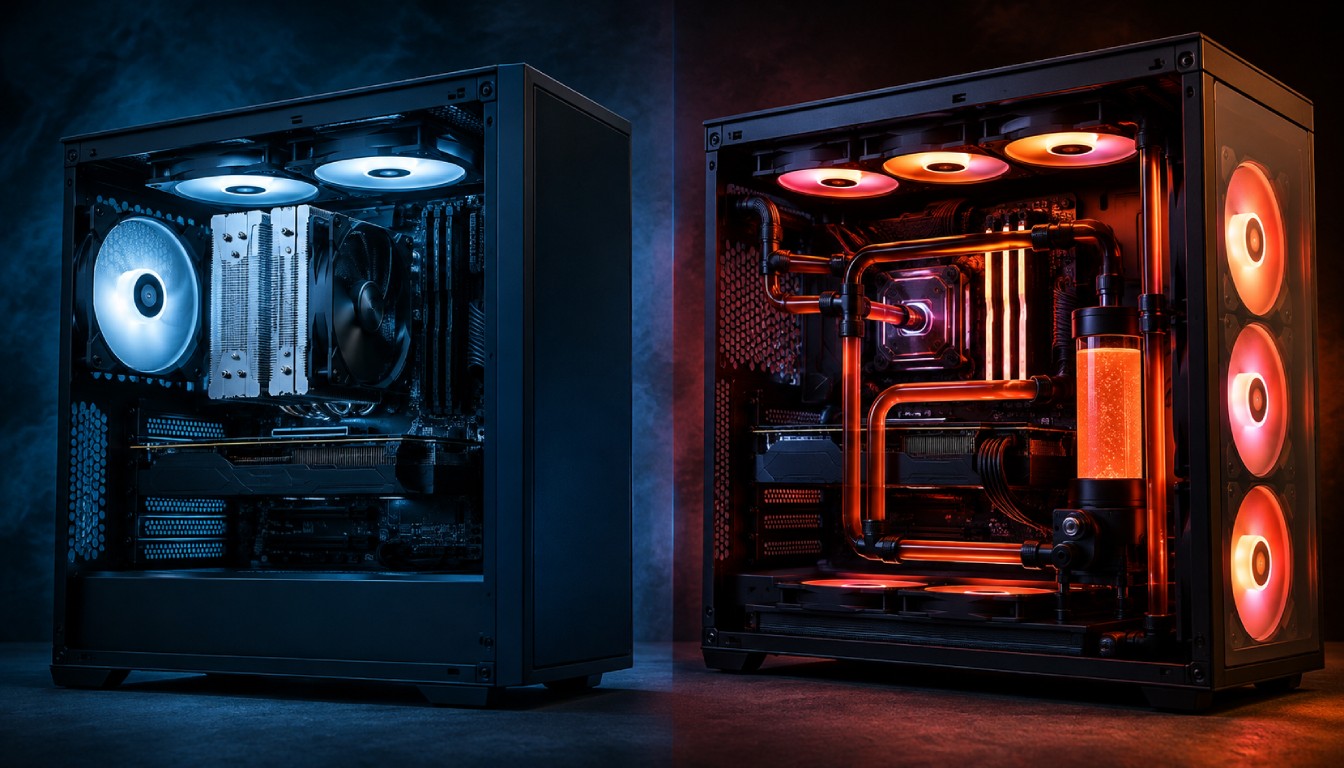
Choosing the right cooling system is one of the most important decisions when building or upgrading a gaming PC in the UAE. Powerful processors and graphics cards already generate significant heat, and the UAE’s warm climate makes effective thermal management even more important.
For most gamers, the decision comes down to two options: air cooling vs liquid cooling. Both can deliver excellent results when paired with the right CPU, case, airflow configuration, and gaming workload.
So, which cooling solution should you choose for your gaming PC in the UAE? This guide from Budget Gamer explains the differences, advantages, disadvantages, maintenance requirements, and ideal use cases for each option.
Why Gaming PC Cooling Matters in the UAE
Gaming PCs generate heat whenever the CPU and GPU are under load. During long gaming sessions, streaming, rendering, or other demanding workloads, temperatures can rise quickly.
Cooling becomes particularly important in the UAE because your PC has to work with the ambient temperature of the room. Your case cannot cool components below the temperature of the air entering it.
Poor cooling can contribute to:
- Higher CPU and GPU temperatures
- Thermal throttling
- Reduced boost clock performance
- Increased fan noise
- Unstable performance during demanding workloads
- Potentially shorter component lifespan
- Uncomfortable heat around your gaming setup
Proper cooling therefore isn’t simply about achieving impressive temperature numbers. It helps your PC maintain stable performance over long gaming sessions.
Budget Gamer’s existing guides also emphasize airflow and thermal management when selecting a gaming PC for UAE conditions.
What Is Air Cooling?
Air cooling uses a metal heatsink combined with one or more fans to remove heat from the CPU.
Heat generated by the processor transfers through the CPU heat spreader and thermal paste into the cooler’s base. Heat pipes then distribute that heat through aluminium cooling fins, while fans push air through the heatsink.
Modern tower air coolers can provide surprisingly strong cooling performance.
Advantages of Air Cooling
1. Excellent Value
Air coolers generally offer excellent performance for the money. For budget and mid-range gaming PCs, spending more on the GPU rather than an unnecessarily expensive CPU cooler can often deliver a greater improvement in gaming performance.
2. Simple Design
There is no pump, radiator, or liquid loop. This makes installation and troubleshooting relatively straightforward.
3. Long-Term Reliability
A quality air cooler has relatively few components that can fail. Even if its fan eventually stops working, replacing a standard fan is usually simple.
4. Low Maintenance
Apart from cleaning dust from the fan and heatsink, air coolers require little maintenance.
5. Great for Mid-Range Gaming PCs
For CPUs with moderate power consumption, a quality tower cooler can provide more than enough thermal capacity.
Budget Gamer similarly recommends high-quality air cooling for many mid-range systems.
Disadvantages of Air Cooling
Air cooling isn’t perfect.
Large dual-tower coolers can occupy considerable space inside the case and may interfere with tall RAM modules. They also place more weight around the CPU socket.
A powerful air cooler can also become louder when its fans need to run aggressively under sustained CPU loads.
Most importantly, extremely high-power processors may benefit from the additional radiator capacity available from a quality liquid cooler.
What Is Liquid Cooling?
Liquid cooling transfers CPU heat through coolant circulating between a CPU block and radiator.
For most gaming PCs, this means an AIO (All-in-One) liquid cooler rather than a complicated custom water-cooling loop.
An AIO normally contains:
- CPU water block
- Pump
- Tubing
- Radiator
- Radiator fans
- Coolant inside a sealed loop
Common radiator sizes include 120mm, 240mm, 280mm and 360mm, although 240mm, 280mm and 360mm models are generally more relevant for performance gaming PCs.
Advantages of Liquid Cooling
Better Cooling Potential for Powerful CPUs
Large AIO liquid coolers can provide significant cooling capacity for processors that consume substantial power.
This can be useful with enthusiast gaming PCs, gaming-and-streaming systems, and machines used for gaming alongside rendering or content creation.
Budget Gamer’s high-end build guides commonly recommend larger AIO solutions for higher-power CPU configurations.
Better Thermal Headroom
Extra cooling capacity can help powerful processors sustain their boost behaviour during long workloads.
This becomes more valuable when gaming is combined with tasks such as:
- Streaming
- Video editing
- 3D rendering
- Content creation
- CPU-intensive productivity
Cleaner Appearance
Many gamers also prefer the visual appearance of an AIO cooler.
The relatively compact CPU block keeps the motherboard area open, while the radiator can be positioned at the top or front of compatible cases.
Potentially Better Performance Under Sustained Loads
A larger radiator offers considerable surface area for dissipating heat. This can make 280mm and 360mm AIO coolers particularly attractive for high-end processors under sustained workloads.
Disadvantages of Liquid Cooling
Higher Cost
A quality AIO normally costs more than a capable air cooler.
For a budget gaming PC, that additional money might produce a larger gaming benefit if invested in the GPU, SSD, RAM, or another performance-critical component.
More Components
Liquid cooling introduces a pump in addition to fans.
That means there are more potential points of failure compared with a traditional air cooler.
Pump Noise
AIO coolers aren’t automatically silent. Radiator fans still generate noise, while the pump can introduce an additional humming or buzzing sound.
Installation Is More Involved
You must consider radiator clearance, tubing orientation, case compatibility and fan direction.
That makes choosing the correct case especially important.
Air Cooling vs Liquid Cooling: Quick Comparison
| Feature | Air Cooling | AIO Liquid Cooling |
| Purchase Cost | Lower | Higher |
| Installation | Easier | More involved |
| Maintenance | Very low | Low |
| Reliability | Excellent | Very good with quality units |
| Mid-Range CPUs | Excellent | Usually optional |
| High-Power CPUs | Good with premium models | Excellent |
| Appearance | Traditional | Clean/premium |
| Pump Required | No | Yes |
| Radiator Space Required | No | Yes |
| Best For | Budget & mid-range builds | High-end gaming builds |
Which Is Better for UAE Gaming PCs?
There isn’t one correct answer for every gaming PC.
Choose Air Cooling If:
- You have a budget or mid-range processor.
- You want maximum value for money.
- Reliability is a major priority.
- You prefer minimal maintenance.
- You don’t care about having a radiator.
- You have a well-ventilated mesh case.
A quality tower cooler combined with strong case airflow can be an excellent solution for a large percentage of gaming PCs.
If you’re planning a value-focused system, read Budget Gamer’s Best Gaming PC Under 6000 AED guide for more advice on balancing cooling and performance.
Choose Liquid Cooling If:
- You’re using a high-power CPU.
- You regularly play CPU-intensive games.
- You stream while gaming.
- You perform video editing or rendering.
- You want additional thermal headroom.
- You’re building a premium 1440p or 4K system.
- You prefer the appearance of an AIO setup.
For high-performance builds, a quality 280mm or 360mm AIO can make sense when the processor and workload justify it.
If you’re building an enthusiast machine, see the Best Gaming PC Under 10,000 AED guide.
Don’t Ignore Case Airflow
Your CPU cooler is only part of the cooling equation.
Installing an expensive liquid cooler inside a poorly ventilated case can still produce disappointing temperatures.
For UAE gaming PCs, prioritize a case with:
- Mesh or highly ventilated intake panels
- Proper dust filters
- Multiple intake fans
- Effective exhaust fans
- Unobstructed airflow around the GPU
- Enough clearance for your selected CPU cooler
Budget Gamer’s custom PC guide highlights positive-pressure airflow—using sufficient filtered intake airflow—as a useful approach for reducing unfiltered dust entering through case gaps.
Dust Is Another Major UAE Consideration
Heat isn’t the only challenge. Dust accumulation can gradually reduce the effectiveness of both air and liquid cooling systems.
Dust can collect on:
- Air cooler heatsinks
- AIO radiators
- Case filters
- Intake and exhaust fans
- GPU heatsinks
As airflow becomes restricted, fans may have to work harder to maintain the same temperatures.
Regular cleaning is therefore important regardless of which cooling technology you choose.
For a complete maintenance walkthrough, read How to Clean Your Gaming PC Safely: UAE Guide. Budget Gamer’s maintenance guide specifically discusses the impact of fine dust on cooling performance.
Is Liquid Cooling Necessary in the UAE?
No. Living in the UAE doesn’t automatically mean every gaming PC needs liquid cooling.
A well-designed system with:
- A high-quality air cooler
- Mesh-front case
- Good intake and exhaust airflow
- Clean dust filters
- Sensible fan curves
- Reasonable room temperature
can cool many mainstream gaming CPUs effectively.
Liquid cooling becomes more attractive as CPU power consumption and sustained workloads increase.
The key is matching the cooler to the processor rather than choosing liquid cooling simply because the local outdoor climate is hot.
Does Liquid Cooling Help GPU Temperature?
Not necessarily.
A standard CPU AIO primarily cools the processor. Your graphics card still depends heavily on airflow inside the case.
Radiator positioning can also affect internal temperatures. For example, using warm radiator exhaust air as case intake may influence GPU temperatures.
This is why the overall airflow configuration matters just as much as the CPU cooler itself.
240mm vs 280mm vs 360mm AIO
If you’ve decided on liquid cooling, radiator size is another consideration.
240mm AIO
A practical option for many performance gaming systems. It fits a wide variety of cases and can provide strong cooling without taking up excessive space.
280mm AIO
Larger 140mm fans provide additional radiator surface area and can offer an attractive balance between cooling capability and acoustics, provided your case supports the format.
360mm AIO
Best suited to high-end CPUs and builds where maximum cooling capacity is a priority.
Budget Gamer’s premium system guides frequently recommend 360mm cooling for particularly demanding high-end CPU configurations.
Which Cooling System Is Better for a Budget Gaming PC?
For most budget builds, air cooling is the smarter choice.
Gaming performance is usually influenced much more by the GPU and CPU than by upgrading an already adequate CPU cooler.
If a quality air cooler keeps your processor within its intended operating range without excessive noise, spending significantly more on an AIO may provide little additional gaming FPS.
That money could potentially be redirected toward:
- A faster graphics card
- More RAM
- A larger SSD
- A better power supply
- A higher-airflow case
This balanced approach is particularly important when trying to maximize performance per dirham.
Explore Budget Gamer’s PC Build UAE Guide for more advice on choosing components.
Which Cooling System Is Better for High-End Gaming?
Liquid cooling becomes easier to justify as you move into enthusiast hardware.
A high-end CPU combined with a powerful GPU creates substantial heat inside the case. A large AIO radiator can provide the CPU with greater cooling headroom while allowing the rest of the case airflow to focus on components such as the GPU, motherboard and storage.
For gaming plus heavy productivity workloads, check Budget Gamer’s Gaming and Video Editing PC Build UAE guide.
Air Cooling vs Liquid Cooling: Final Verdict
For UAE gamers, the winner depends on the hardware.
Air cooling is generally best for budget and mid-range gaming PCs. It’s affordable, dependable, easy to maintain and capable of cooling many mainstream gaming processors when combined with a quality airflow-focused case.
Liquid cooling is better suited to high-end and enthusiast gaming PCs where powerful CPUs, sustained workloads, lower temperature targets, or aesthetics justify the additional cost and complexity.
Most importantly, don’t judge cooling by the cooler alone.
A premium AIO cannot compensate for a case with severely restricted airflow, just as an excellent air cooler will struggle if its heatsink and filters are packed with dust.
Build around CPU requirements, case airflow, dust management and your actual workload.
At Budget Gamer UAE, you can explore gaming PC configurations designed around different budgets and performance requirements.
Frequently Asked Questions
Is air cooling enough for gaming in Dubai and the UAE?
Yes. A quality air cooler can be completely sufficient for many budget and mid-range gaming CPUs, especially when installed in a well-ventilated case.
Is liquid cooling better for UAE summers?
For high-power processors, a quality AIO can provide greater thermal headroom. However, room temperature and case airflow still have a major impact on cooling performance.
Is a 240mm AIO enough for gaming?
For many CPUs, yes. Higher-power processors may benefit from 280mm or 360mm models depending on their power limits and workload.
Does liquid cooling require maintenance?
Sealed AIO liquid coolers generally don’t require users to replace coolant. However, radiator and fan dust should still be cleaned regularly.
Which cooling system lasts longer?
Air coolers generally have simpler designs and fewer failure points. AIO liquid coolers include pumps, which introduce an additional component that can eventually fail.
Should I spend more on cooling or the GPU?
For a budget gaming PC, prioritize enough cooling to operate your CPU properly, then put additional budget toward components that directly improve gaming performance—particularly the GPU.