Blog
Gaming PC Warranty in the UAE What Buyers Should Check Before Purchasing

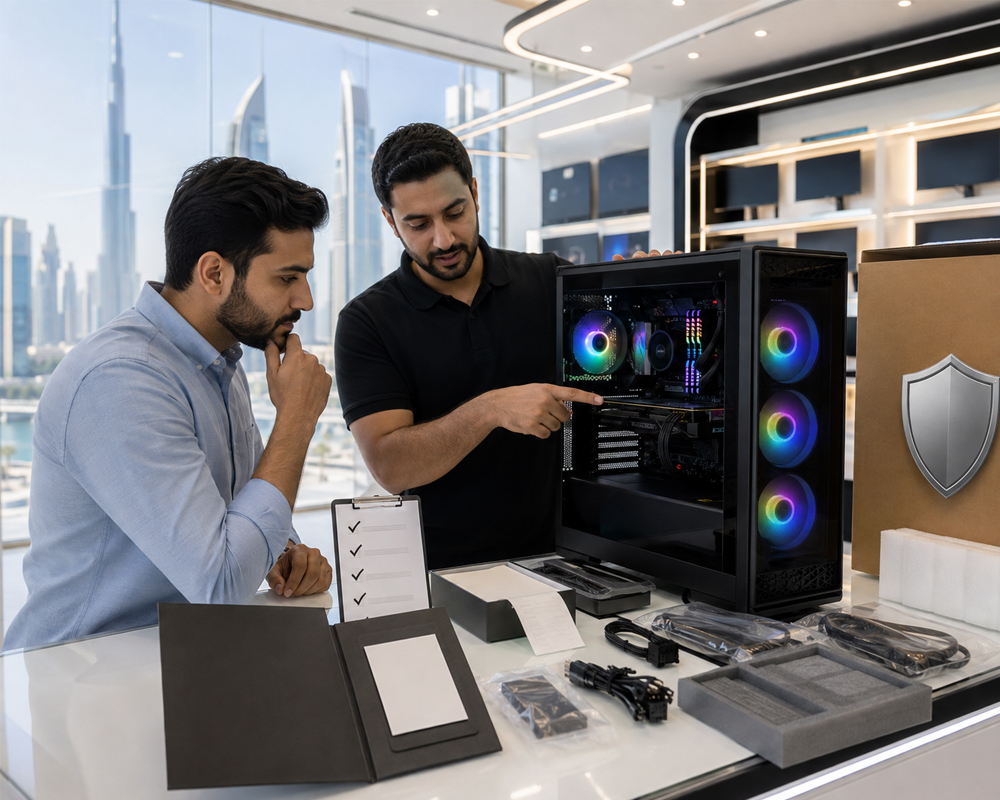
Buying a gaming PC is a serious investment. Whether you are purchasing an affordable 1080p setup or a high-performance system for 1440p and 4K gaming, the warranty can be just as important as the processor, graphics card and RAM.
A powerful specification may look attractive on paper, but what happens if the graphics card develops a fault after a few weeks? Who pays for the repair? Does the seller cover labour charges? Can you upgrade the PC without cancelling the warranty?
Before purchasing a gaming PC in the UAE, buyers should carefully review the warranty terms rather than relying on a simple “warranty included” statement.
This guide explains the most important gaming PC warranty details UAE buyers should check before placing an order.
Why a Gaming PC Warranty Matters
A gaming PC contains several expensive components working together, including:
- Graphics card
- Processor
- Motherboard
- RAM
- SSD or hard drive
- Power supply
- Cooling system
- Case fans
Even when genuine components are used, an unexpected manufacturing defect can occur. A proper warranty protects the buyer from paying the full cost of repairing or replacing an eligible faulty component.
Warranty support is especially important when purchasing a pre-built or custom gaming PC. Unlike a single retail component, the complete system has been assembled, configured and tested by the seller. Buyers therefore need to understand whether the warranty covers only individual parts or the complete assembled PC.
1. Check the Exact Warranty Duration
Never assume that every gaming PC comes with the same warranty period.
The warranty may vary depending on whether the system is:
- Brand new
- Pre-built
- Custom-built
- Refurbished
- Certified pre-owned
- Assembled using a combination of new and used components
A PC made entirely from new components may have a longer warranty than a system assembled with refurbished hardware.
At the time of writing, Budget Gamer UAE’s published terms state that pre-built and build-your-own PCs using brand-new parts include a one-year warranty from delivery, while pre-owned PCs include a one-month warranty. Buyers should always confirm the current warranty displayed for their particular system before completing the purchase.
Ask the seller to confirm the warranty period in writing on the invoice, order confirmation or warranty document. A verbal promise may be difficult to prove later.
2. Understand When the Warranty Begins
The warranty should normally begin when the customer receives the gaming PC, not when the seller orders the components or starts assembling the system.
This is important when a custom PC requires several days to source, assemble, test and deliver.
Under the UAE’s consumer-protection regulations, a goods warranty runs for the duration specified by the manufacturer or commercial agent and begins from the date the consumer receives the original or replacement product.
Keep evidence of the delivery date, including:
- Purchase invoice
- Delivery receipt
- Order confirmation
- Courier tracking
- Payment receipt
These documents can help establish when the warranty started.
3. Confirm Whether It Is a Seller or Manufacturer Warranty
Gaming PC warranties generally fall into two categories.
Seller Warranty
A seller warranty means the PC shop handles the warranty claim. The customer returns the system to the seller, who diagnoses the problem and arranges the repair or replacement.
This is often more convenient because the buyer has one point of contact for the complete PC.
Manufacturer Warranty
A manufacturer warranty applies to an individual component, such as an ASUS motherboard, MSI graphics card, Corsair power supply or Kingston SSD.
The buyer or seller may need to contact the component manufacturer, distributor or authorised service centre.
Before purchasing, ask:
- Who handles the claim?
- Is the complete PC covered by the seller?
- Will the seller communicate with the component supplier?
- Must the customer contact each manufacturer separately?
- Is the component covered locally in the UAE?
- Will international shipping be required?
A local warranty can be much easier to use than an international warranty that requires sending a component overseas.
4. Ask Which Components Are Covered
The warranty terms should clearly explain which parts of the gaming PC are covered.
Typical hardware coverage may include eligible manufacturing defects affecting the:
- CPU
- GPU
- Motherboard
- RAM
- SSD
- Power supply
- CPU cooler
- Case fans
However, not every accessory or service is automatically included. Buyers should separately confirm coverage for:
- RGB controllers
- Wi-Fi adapters
- Bluetooth cards
- Operating-system installation
- Monitors
- Keyboards and mice
- Gaming headsets
- Additional cables
- Cosmetic case parts
Do not assume that a warranty covering the “gaming PC” automatically includes every product delivered with it.
5. Check Whether Labour Charges Are Included
Replacing a faulty component may require diagnosis, disassembly, installation, cable management, BIOS configuration, driver installation and system testing.
Some warranties cover the replacement part but not the technician’s labour charges.
Ask the seller:
- Is fault diagnosis free?
- Is repair labour included?
- Is component installation included?
- Will the PC be tested after repair?
- Are software reinstallation charges covered?
- Are there inspection fees when no fault is found?
A good warranty should clearly separate covered repairs from chargeable services.
6. Understand the Difference Between Returns and Warranty Claims
A return policy and a warranty are not the same thing.
A return policy may allow an eligible product to be returned within a limited period, depending on its condition and the seller’s terms. A warranty applies when a covered defect develops during the stated warranty period.
For example, a customer changing their mind about the case colour is different from a graphics card failing during normal use.
Custom-built PCs may also have different return conditions because they are assembled specifically for the customer. Budget Gamer UAE’s current published terms distinguish between returns and warranty coverage and state that customised build-your-own PCs are excluded from the standard return policy while remaining subject to the applicable warranty terms.
Review both policies before ordering.
7. Read the Warranty Exclusions
Most gaming PC warranties contain exclusions. These explain situations in which free repair or replacement may be refused.
Common exclusions can include damage caused by:
- Physical impact or dropping the PC
- Liquid spills
- Improper handling
- Unauthorised repairs
- Incorrect component installation
- Electrical damage
- Power surges
- Modified firmware or BIOS
- Unsupported overclocking
- Malware or corrupted software
- Poor ventilation
- Excessive dust or neglect
- Natural disasters
- Accidental damage
Budget Gamer UAE’s published warranty terms currently exclude damage caused by misuse, accidents, unauthorised modifications or repairs, certain overclocking, natural disasters and power surges.
Buyers should read exclusions carefully instead of assuming every possible failure will be covered.
8. Ask Whether Upgrading the PC Affects the Warranty
One of the biggest advantages of a desktop gaming PC is upgradeability. You may later want to install:
- More RAM
- A larger SSD
- A stronger graphics card
- Additional cooling fans
- A liquid cooler
- A higher-capacity power supply
Before opening the case, ask whether customer-installed upgrades affect the warranty.
Some sellers may allow upgrades as long as no original component is damaged. Others may require all modifications to be performed by an approved technician.
Get written confirmation about:
- Whether the case can be opened
- Whether warranty seals are used
- Which upgrades are allowed
- Whether the seller must install new parts
- Whether only the modified component loses coverage
- Whether the entire system warranty would be affected
This can prevent a future disagreement when you upgrade your setup.
9. Review Overclocking and BIOS Rules
Overclocking can improve performance, but it may also increase power consumption, heat and system instability.
A seller may refuse warranty coverage if damage was caused by unsupported CPU, GPU or RAM overclocking.
This can also apply to:
- Manual voltage changes
- Custom GPU BIOS files
- Extreme memory profiles
- Unapproved power-limit modifications
- Incorrect motherboard BIOS updates
Ask whether standard features such as Intel XMP, AMD EXPO or manufacturer-provided performance modes are permitted.
Do not modify voltage or firmware settings without understanding how they affect the warranty.
10. Confirm the Warranty Process
A warranty is only useful when the claim process is clear and practical.
Before purchasing, ask the seller what you must do when a problem occurs.
A normal process may involve:
- Contacting technical support.
- Providing the invoice or order number.
- Explaining the fault.
- Performing basic troubleshooting.
- Returning or shipping the PC for inspection.
- Waiting for diagnosis.
- Receiving a repair, replacement or further decision.
Buyers should also confirm:
- Where the PC must be sent
- Who pays the shipping charges
- Whether collection is available
- How the PC should be packaged
- How long diagnosis usually takes
- Whether updates are provided during repair
- Whether repaired systems are stress-tested before return
Budget Gamer UAE’s current terms require customers to send the product for inspection and state that the customer is responsible for the return shipping fee after an approved repair or replacement.
Shipping costs can be important when the seller is located in another emirate.
11. Ask What Happens When a Component Cannot Be Repaired
Not every defective component can be repaired. The warranty should explain whether the seller will:
- Replace it with the same model
- Provide an equivalent model
- Upgrade it with an additional payment
- Offer store credit
- Provide another solution
Older components may no longer be available. In that situation, the seller may offer a replacement with similar performance and specifications.
Ask how equivalent replacements are selected. For a graphics card, for example, the replacement should be compared using performance, VRAM, condition and features—not only the model’s original retail price.
12. Check Coverage for Pre-Owned Gaming PCs
A pre-owned gaming PC can provide excellent performance for the money, but its warranty needs extra attention.
Before buying, check:
- Whether every component is new, used or refurbished
- The age of the GPU and power supply
- SSD health
- Previous repair history
- Whether the system passed stress testing
- Whether replacement parts are available
- The exact warranty duration
- Whether the warranty covers the complete system
A professional pre-owned PC seller should provide clearer protection than an informal private sale. Budget Gamer UAE states that its certified pre-owned systems are inspected and supplied with warranty coverage, while its formal terms should be checked for the current duration and conditions applicable to the selected PC.
13. Protect the PC Against UAE Power Conditions
Power-related damage is commonly excluded from standard hardware warranties.
Consider using:
- A quality surge protector
- A reliable UPS
- A properly grounded power connection
- A reputable power supply with suitable protection features
Avoid connecting an expensive gaming PC to a damaged extension cable or low-quality adapter.
A UPS can also help protect your system from sudden shutdowns and give you time to save your work during a power interruption.
14. Keep the Original Invoice and Packaging
Do not discard the purchase invoice after setting up the PC.
Keep copies of:
- Invoice
- Warranty terms
- Complete component list
- Serial numbers
- Payment confirmation
- Delivery receipt
- Support conversations
- Repair receipts
Keeping the original box and internal protective packaging is also useful. Gaming PCs contain heavy components, and unsuitable packaging can cause damage while the system is being transported for inspection.
15. Inspect and Test the PC Immediately
Test your gaming PC as soon as it arrives rather than leaving it unopened for several weeks.
Check:
- Whether the listed components are installed
- Whether Windows starts correctly
- GPU and CPU temperatures
- Fan operation
- USB and audio ports
- Wi-Fi and Bluetooth
- Storage capacity
- Gaming performance
- Unusual noise
- Random crashes or restarts
- Physical or shipping damage
Report any issue promptly and keep photos or videos when relevant. Early reporting makes it easier to distinguish an arrival-related problem from later accidental damage.
Gaming PC Warranty Checklist for UAE Buyers
Before placing your order, confirm the following:
- Exact warranty duration
- Warranty start date
- New or pre-owned condition of each component
- Seller warranty or manufacturer warranty
- Components included in coverage
- Parts and labour coverage
- Warranty exclusions
- Upgrade and overclocking rules
- Shipping responsibility
- Inspection and repair process
- Expected repair timeframe
- Replacement policy
- Required documents
- Local UAE support availability
The most important rule is simple: get the warranty terms in writing.
Why Buy from a Specialist Gaming PC Seller?
A specialist gaming PC seller understands that support involves more than replacing a single component.
Gaming PCs require proper:
- Hardware compatibility
- Cooling configuration
- Cable management
- BIOS setup
- Driver installation
- Stress testing
- Performance verification
Budget Gamer UAE provides pre-built, custom and pre-owned gaming PCs for customers across the UAE. Its systems are assembled and tested for gaming use, with local support and warranty conditions published for different PC categories.
Checking those terms before ordering allows you to choose a system that provides both strong gaming performance and suitable after-sales protection.
Final Thoughts
A gaming PC warranty should never be treated as a small detail.
Before purchasing, look beyond the number of months advertised. Check exactly what is covered, who handles repairs, whether labour is included, which actions can void the warranty and who pays for transportation.
A clearly documented warranty gives you confidence that your investment is supported if an eligible hardware problem develops.
When comparing gaming PCs in the UAE, do not evaluate only the GPU, processor and price. Compare the warranty, testing standards and local technical support as well.
The best gaming PC is not simply the one with the highest frame rate. It is the system that delivers reliable performance, transparent coverage and dependable support after the purchase.
Frequently Asked Questions
How long is a gaming PC warranty in the UAE?
There is no single warranty period that applies to every gaming PC. Coverage depends on the seller, component manufacturer and whether the system is new, refurbished or pre-owned. Always check the written warranty for the particular PC.
Does a gaming PC warranty cover accidental damage?
Standard warranties usually focus on manufacturing defects and hardware failures during normal use. Accidental damage, liquid spills, misuse and physical damage are commonly excluded unless separate protection is offered.
Does opening a gaming PC cancel its warranty?
Not necessarily, but policies vary. Some sellers allow normal upgrades, while others require modifications to be completed by an authorised technician. Ask the seller before opening or changing the system.
Are used gaming PCs covered by a warranty?
A professional seller may provide warranty coverage for a certified pre-owned PC. Private sellers usually provide limited or no formal protection. Confirm the duration, covered components and claim process in writing.
Is software covered under a gaming PC warranty?
Hardware warranties normally do not cover viruses, deleted files, corrupted software or problems caused by unsupported programs. Operating-system support may be offered separately by the seller.
What documents are needed for a warranty claim?
You will generally need the original invoice, order details and information about the fault. Photos, videos, serial numbers and previous support messages can also help.
What should I do if a seller does not honour the warranty?
First contact the seller in writing and provide the invoice, warranty document and evidence of the problem. Consumer complaints involving defective products, misleading information or warranty breaches may be submitted to the relevant UAE consumer-protection authority, depending on the emirate.