Blog
Common Mistakes to Avoid When Buying a Gaming PC Under 5000 AED

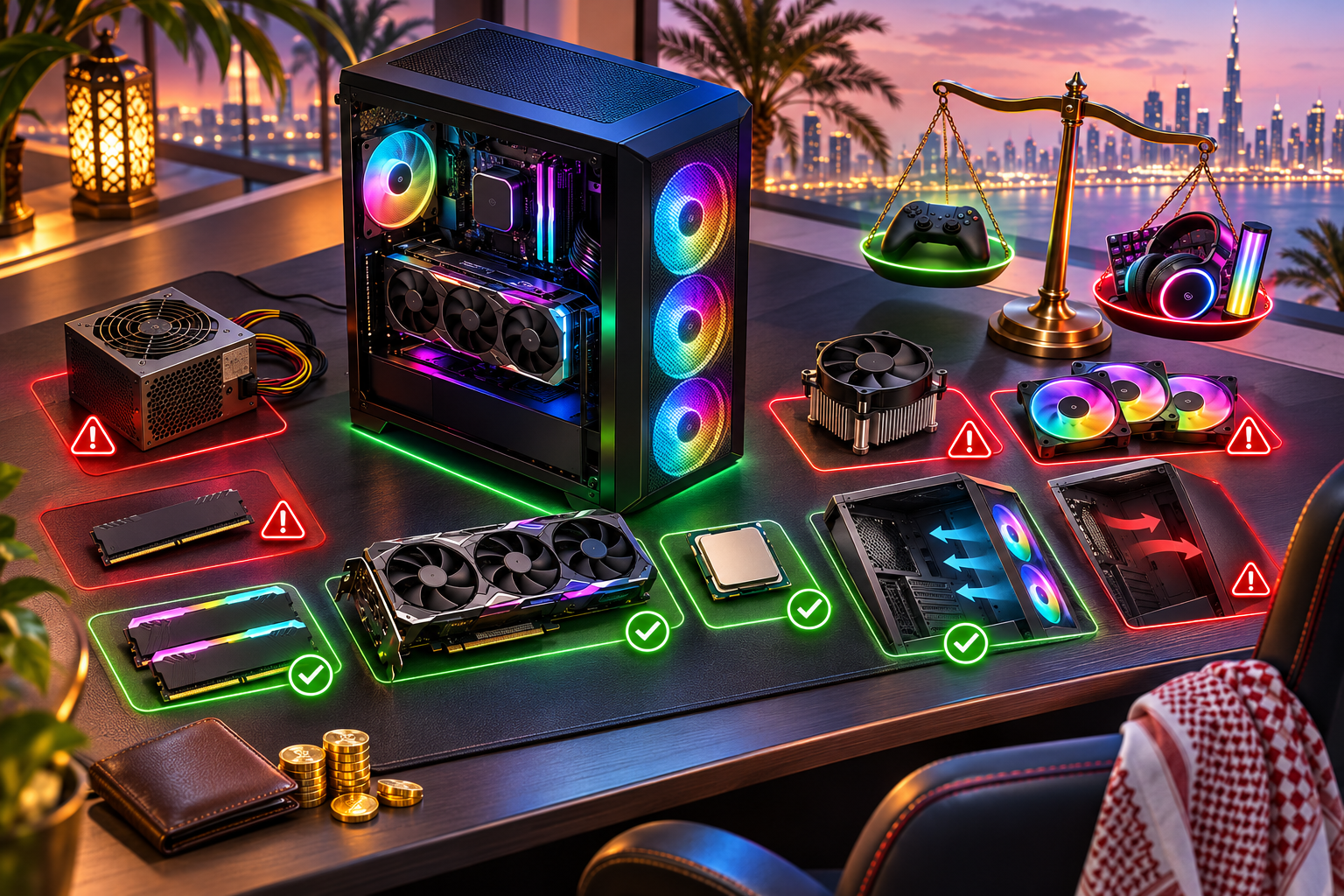
Buying a gaming PC under 5000 AED in the UAE can be exciting, especially with modern graphics cards and processors offering impressive performance at reasonable prices. However, choosing the wrong components can turn an attractive deal into a disappointing investment.
Many gamers focus on graphics card names, RGB lighting, or promotional discounts without examining the complete system. Others overlook cooling, memory configurations, warranties, and future upgrades.
The good news is that most purchasing mistakes are avoidable.
This guide explains the common errors UAE gamers make when buying an affordable gaming computer and how to choose a configuration that delivers better long-term value.
1. Buying Without Defining Your Gaming Requirements
One of the biggest mistakes is purchasing a computer without deciding which games you want to play.
Competitive titles such as Valorant, Fortnite, and Counter-Strike 2 have different performance requirements from demanding games like Cyberpunk 2077.
If your priority is competitive 1080p gaming, you may benefit from a capable processor and high-refresh-rate monitor.
For visually demanding games at 1440p, graphics card performance becomes particularly important.
Before comparing computers, identify your preferred games, target resolution, and expected frame rates.
Our 1080p vs 1440p gaming guide can help you choose the right resolution.
2. Spending Too Much on the Processor
An expensive processor does not automatically make a gaming computer faster.
For example, purchasing a premium Intel Core i7 or AMD Ryzen 9 while choosing an entry-level graphics card can create an unbalanced configuration.
For many gaming PCs under AED 5,000, modern Intel Core i5 and AMD Ryzen 5 processors offer sufficient performance.
The money saved can go toward a stronger GPU, better storage, or improved cooling.
However, competitive gamers targeting extremely high frame rates should still consider processor performance carefully.
The goal is balance, not purchasing the most expensive component.
3. Choosing a GPU Based Only on Its Name
Graphics cards significantly influence gaming performance, but model names alone do not explain their capabilities.
For example, an RTX 5060 and RTX 5060 Ti offer different performance levels despite belonging to the same product generation.
Similarly, a graphics card with more VRAM is not automatically faster in every game.
Compare actual benchmarks, memory capacity, power requirements, and supported technologies before purchasing.
For a budget gaming computer, choosing the right GPU can make a noticeable difference in 1080p and 1440p performance.
Explore our best GPU for budget gaming PCs in 2026 for additional guidance.
4. Ignoring the Complete System Price
A common mistake is spending your entire AED 5,000 budget on the computer without considering additional expenses.
Depending on your setup, you may also need a monitor, keyboard, mouse, headset, or operating system license.
For example, a computer costing AED 4,500 leaves AED 500 for additional requirements.
However, if you already own suitable peripherals, spending closer to your maximum budget may make sense.
Always check which accessories and services are included in the advertised price.
5. Buying Too Little RAM or Storage
Some affordable gaming PCs include limited memory or storage to keep their advertised prices attractive.
While 16GB RAM remains suitable for many modern games, 32GB provides additional flexibility for multitasking and demanding applications.
Storage capacity is equally important.
A 500GB SSD may fill quickly after installing Windows, gaming software, and several large titles.
For most new gaming computers, a 1TB NVMe SSD is a practical starting point.
Also check whether the motherboard supports future memory and storage expansion.
6. Overlooking Power Supply Quality
The power supply is one of the most overlooked components in budget gaming computers.
An unreliable PSU can cause instability and potentially damage hardware if it fails.
Never choose a system based entirely on processor and graphics card specifications.
Check the PSU manufacturer, model, wattage, protection features, and available connectors.
A suitable 550W–650W power supply may support many mid-range configurations, although actual requirements depend on the installed hardware.
Reliable power delivery is more valuable than unnecessary decorative accessories.
7. Prioritizing RGB Lighting Over Cooling
An attractive gaming case does not guarantee effective cooling.
Some computers feature impressive RGB lighting but have restricted airflow or inadequate ventilation.
This becomes particularly important during extended gaming sessions in the UAE.
Look for a case with suitable intake and exhaust fans, adequate ventilation, and an appropriate CPU cooler.
Expensive liquid cooling is not mandatory for every mid-range processor.
A quality air cooler and well-designed case can provide excellent thermal performance.
Prioritize reliable operation before appearance.
8. Ignoring the Monitor’s Capabilities
Your monitor plays an important role in the overall gaming experience.
Purchasing a computer capable of high frame rates while using a basic 60Hz display may limit the visible benefits.
For competitive 1080p gaming, a 144Hz or 165Hz monitor is a practical option.
For sharper visuals, a 1440p display may be attractive, provided your graphics card can handle the additional workload.
Choose a monitor that complements your computer rather than purchasing both independently.
9. Not Comparing Pre-Built Gaming PCs
Purchasing the first computer within your budget can mean missing a better configuration at a similar price.
Two pre-built gaming PCs may feature identical processors but different graphics cards, memory, cooling systems, and power supplies.
At Budget Gamer UAE, buyers can compare available configurations before making a decision.
For example, explore pre-built gaming PCs priced between AED 3,700 and AED 4,500.
This range allows you to compare affordable systems while preserving some flexibility in your budget.
Always review complete specifications and current availability before ordering.
10. Forgetting About Warranty and Future Upgrades
A gaming computer should provide reliable performance beyond its initial purchase.
Before ordering, check warranty coverage, repair procedures, and available technical support.
You should also consider whether the system supports additional RAM, SSD storage, or a future graphics card upgrade.
Motherboard compatibility, power supply capacity, and case dimensions can limit your options.
For more information, read our gaming PC upgrade guide.
Planning ahead can reduce unnecessary replacement costs.
Quick Checklist Before Buying
Before purchasing a gaming PC under 5000 AED, confirm these essentials:
- A processor and graphics card suited to your games.
- Sufficient RAM and SSD storage.
- Reliable cooling and power supply.
- Compatibility with your monitor.
- Clear warranty and upgrade options.
- A complete price within your available budget.
You can also read our complete budget gaming PC buying guide for additional purchasing advice.
Final Thoughts
Avoiding common mistakes when buying a gaming PC under 5000 AED can help you get better performance and long-term value.
Rather than focusing on one impressive component, compare the complete system, consider your gaming requirements, and prioritize reliability.
A balanced computer with effective cooling, quality components, and upgrade flexibility is often a better investment than an attractive but poorly configured alternative.
Explore available systems at Budget Gamer UAE and compare specifications before making your purchase.
Frequently Asked Questions
1. What is the biggest mistake when buying a gaming PC?
Choosing a computer based on a single specification without checking overall component balance, compatibility, and quality.
2. Is 5000 AED enough for a good gaming PC?
Yes. This budget can provide a capable mid-range computer for competitive gaming and many modern AAA titles.
3. Should I prioritize CPU or GPU?
For most graphics-intensive games, prioritize the GPU. Competitive high-FPS gaming can place greater importance on CPU performance.
4. Is 16GB RAM enough for gaming?
Yes, for many games. However, 32GB offers additional flexibility for multitasking and demanding titles.
5. Is an RTX 5060 suitable for budget gaming?
Yes. It is a practical option for mainstream 1080p gaming and selected 1440p workloads.
6. Should I avoid cheap gaming PCs?
Not necessarily. Affordable computers can provide excellent value when their components are balanced and reliable.
7. Do gaming PCs need liquid cooling?
No. Many mid-range configurations operate effectively with quality air cooling and sufficient ventilation.
8. Is a pre-built gaming PC worth buying?
Yes. A quality pre-built computer offers convenient assembly and potentially simpler technical support.
9. Can I upgrade my gaming PC later?
Usually, yes. Upgrade possibilities depend on motherboard compatibility, PSU capacity, and available space.
10. Where can I buy a gaming PC under 5000 AED in UAE?
Visit Budget Gamer UAE to compare available gaming computers, specifications, warranties, and current prices.